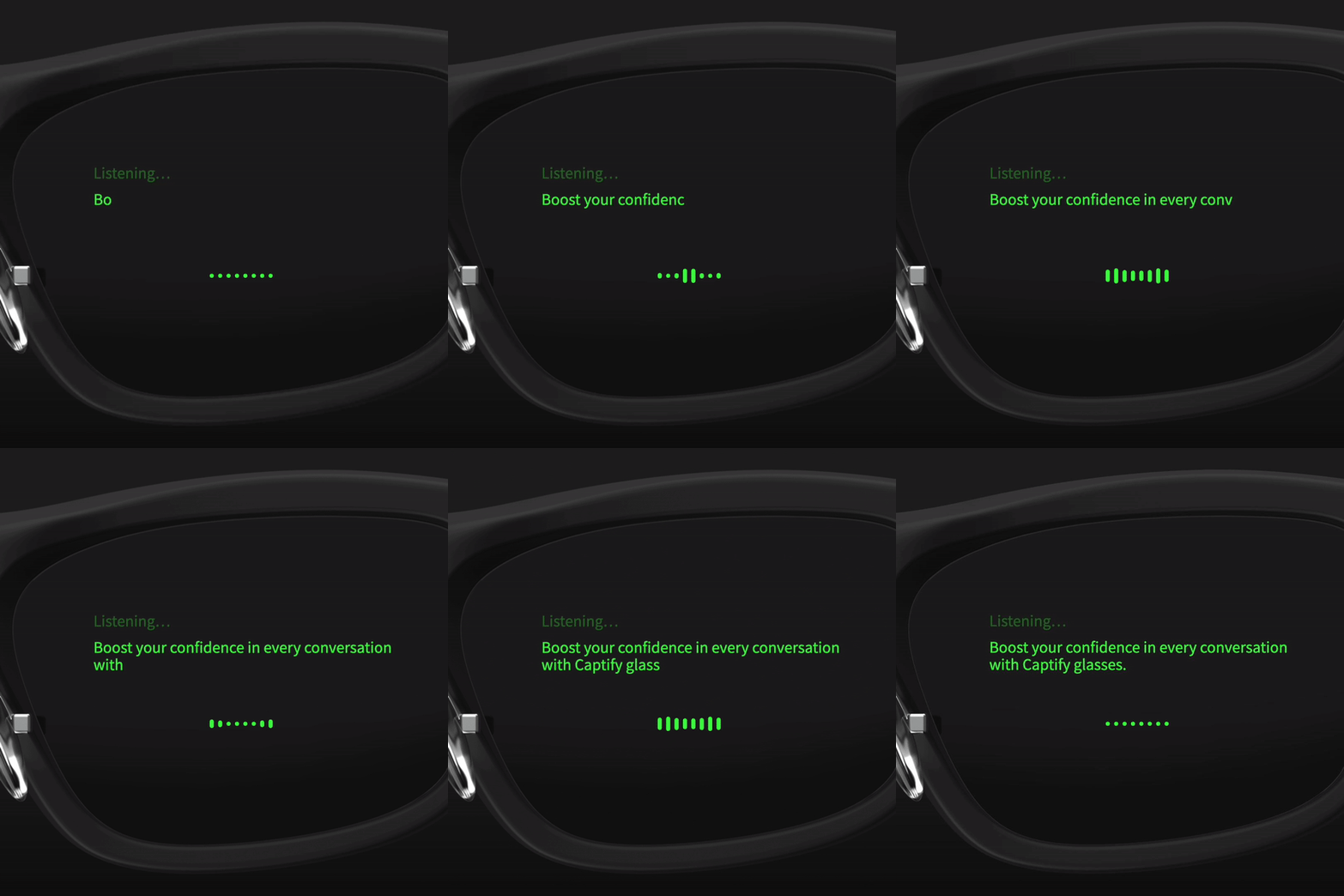
Smart glasses that make conversations more inclusive.
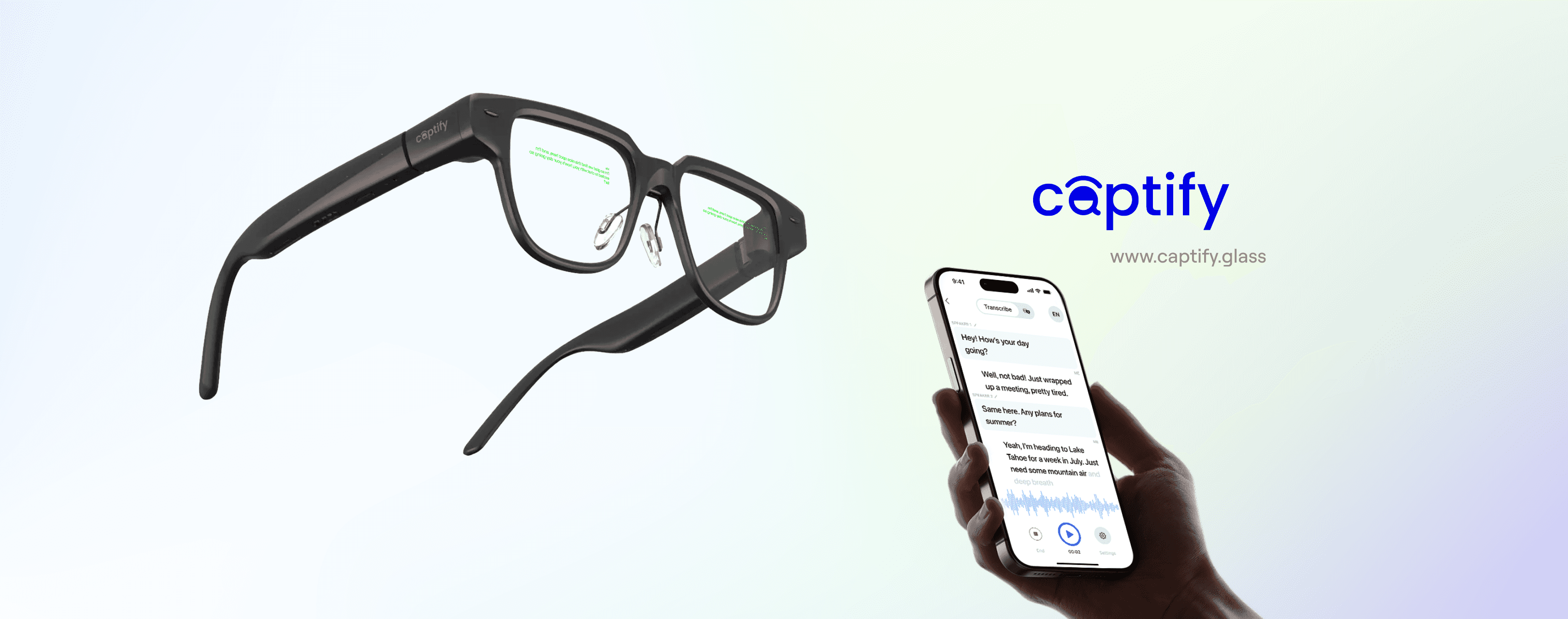
Captify, a startup building assistive wearables, launched their new product Captify Pro, AI-powered glasses for the deaf and hard-of-hearing community. I led the MVP design of both the mobile app and glasses interface to make the experience more intuitive, trustworthy, and practical for daily use.
Company
Captify
PLATFORM
Platform
Smart Glasses Mobile
Year
2025
Duration
Phase I: 4 month; Phase II: 5 month
Why we built Captify?
Captify was built to help people who are deaf or hard of hearing navigate real-world conversations using AI-powered AR glasses. By combining real-time captions, environmental sound alerts, and contextual awareness on a wearable display, Captify reduces communication barriers in noisy, everyday environments where traditional hearing aids fall short.
Why we built Captify?
Captify was built to help people who are deaf or hard of hearing navigate real-world conversations using AI-powered AR glasses. By combining real-time captions, environmental sound alerts, and contextual awareness on a wearable display, Captify reduces communication barriers in noisy, everyday environments where traditional hearing aids fall short.
Why we built Captify?
Captify was built to help people who are deaf or hard of hearing navigate real-world conversations using AI-powered AR glasses. By combining real-time captions, environmental sound alerts, and contextual awareness on a wearable display, Captify reduces communication barriers in noisy, everyday environments where traditional hearing aids fall short.

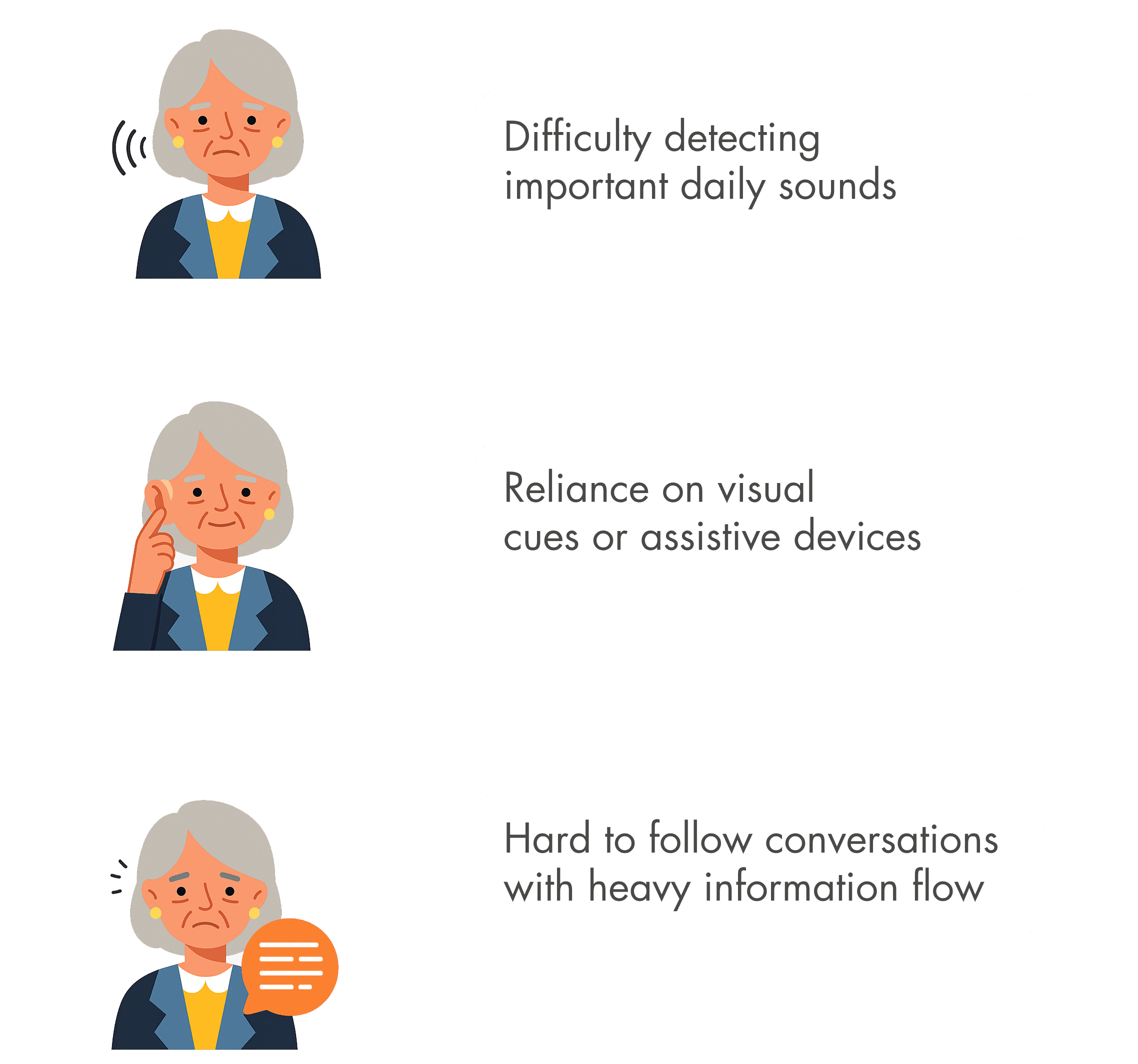
Users & Challenges
Key Segment: Seniors (60+) Secondary Segment: Adults with partial hearing loss

Users & Challenges
Key Segment: Seniors (60+) Secondary Segment: Adults with partial hearing loss

Users & Challenges
Key Segment: Seniors (60+) Secondary Segment: Adults with partial hearing loss

Business Goal
Launch Captify Pro with a reliable, easy-to-use experience that drives daily adoption of AI-powered AR glasses for accessibility.
Business Goal
Launch Captify Pro with a reliable, easy-to-use experience that drives daily adoption of AI-powered AR glasses for accessibility.
Business Goal
Launch Captify Pro with a reliable, easy-to-use experience that drives daily adoption of AI-powered AR glasses for accessibility.
My Role
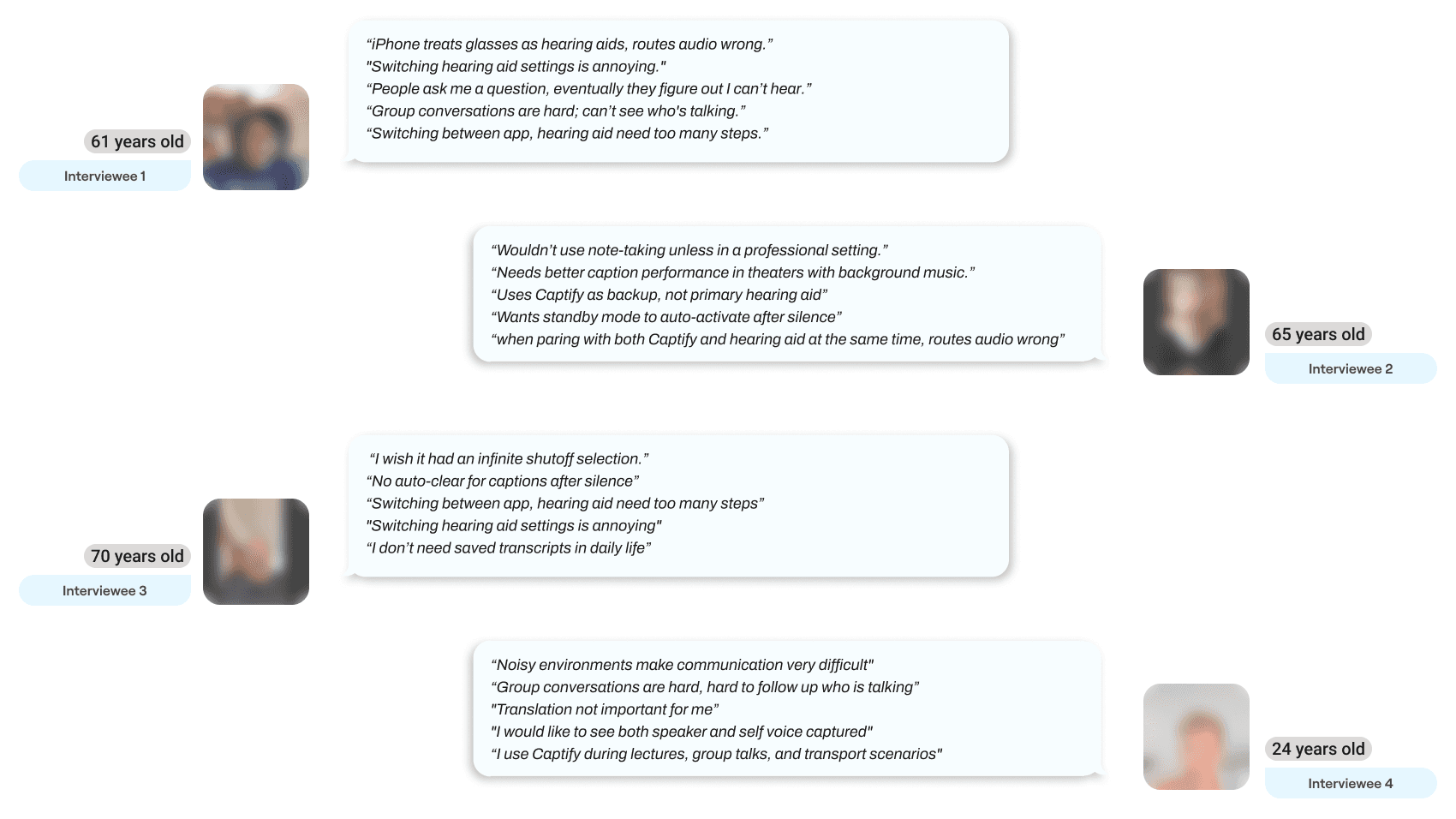
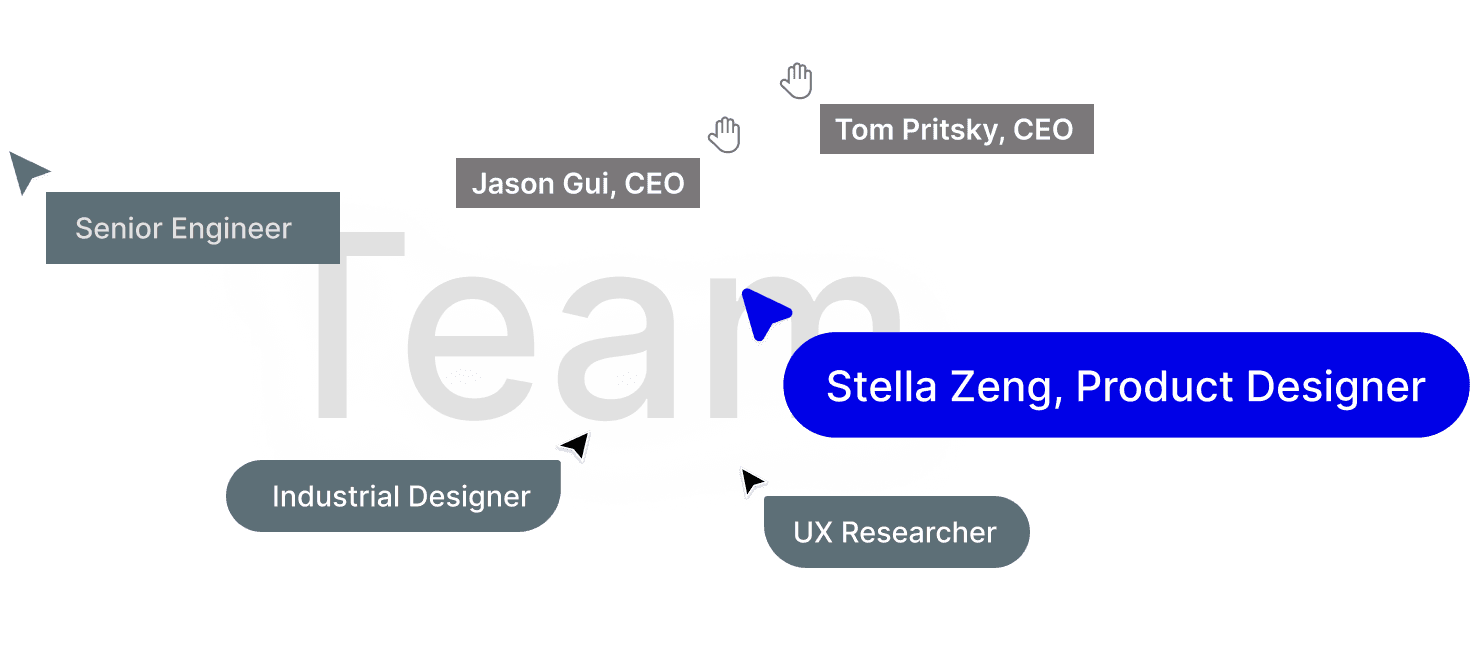
Founding product designer for Captify, leading 0→1 end-to-end design across the app and glasses UI, shaping product direction with the CEO and engineers, and grounding decisions in insights from 16 user interviews.
My Role
Founding product designer for Captify, leading 0→1 end-to-end design across the app and glasses UI, shaping product direction with the CEO and engineers, and grounding decisions in insights from 16 user interviews.

My Role
Founding product designer for Captify, leading 0→1 end-to-end design across the app and glasses UI, shaping product direction with the CEO and engineers, and grounding decisions in insights from 16 user interviews.

Impact
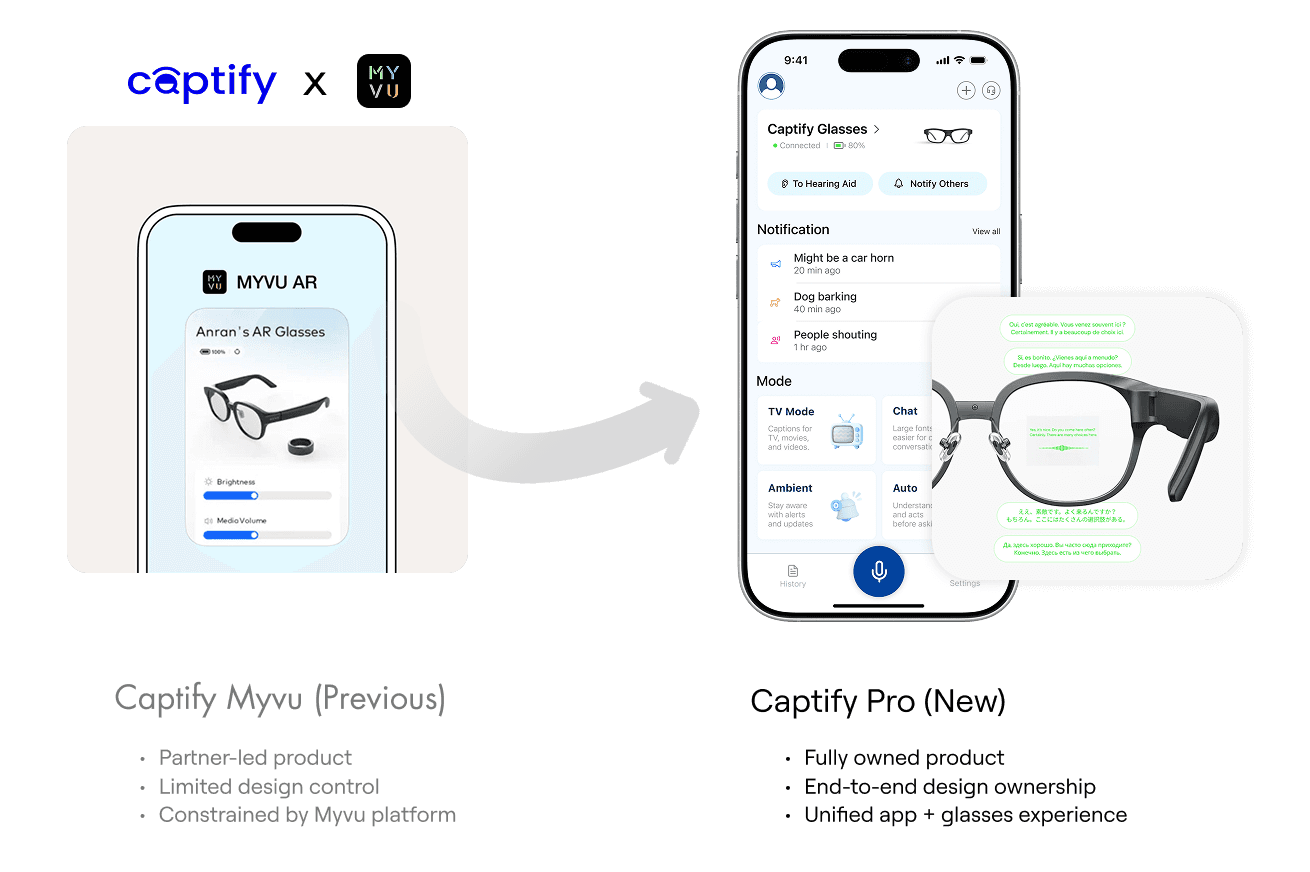
Compared to the previous MyVu product, Captify Pro Phase 1 MVP launched with a redesigned mobile app and glasses OS, introducing real-time captions and environmental sound detection as core experiences.
10K+
Active users
+35%
Daily active usage
2.5x
Improvement compare to Captify Myvu
40%
Returning users migrated from Captify Myvu

Impact
Compared to the previous MyVu product, Captify Pro Phase 1 MVP launched with a redesigned mobile app and glasses OS, introducing real-time captions and environmental sound detection as core experiences.
10K+
Active users
+35%
Daily active usage
2.5x
Improvement compare to Captify Myvu
40%
Returning users migrated from Captify Myvu

Impact
Compared to the previous MyVu product, Captify Pro Phase 1 MVP launched with a redesigned mobile app and glasses OS, introducing real-time captions and environmental sound detection as core experiences.
10K+
Active users
+35%
Daily active usage
2.5x
Improvement compare to Captify Myvu
40%
Returning users migrated from Captify Myvu

A lifestyle product for everyday communication
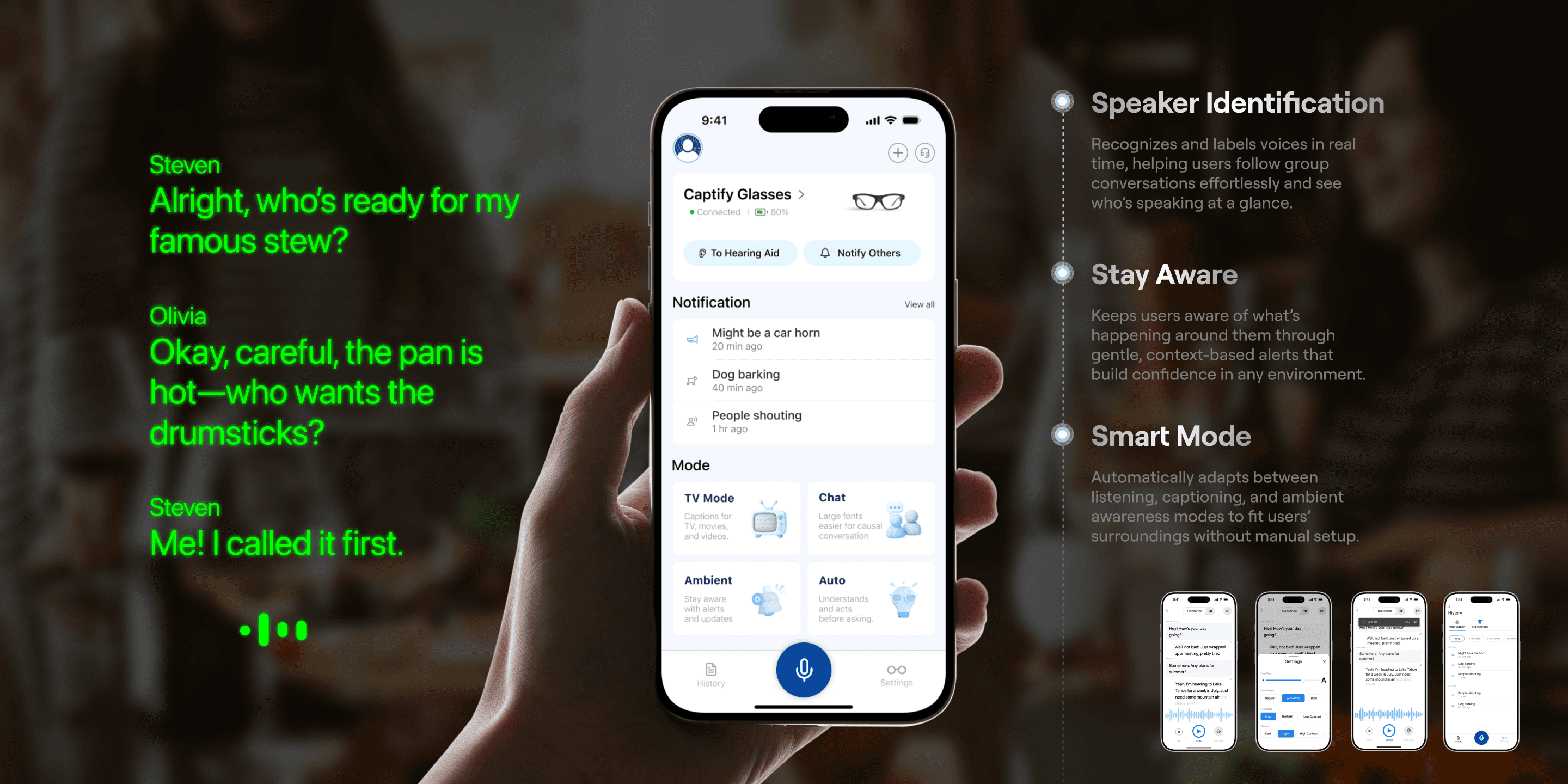
The redesign transformed Captify Pro from a technical prototype into a credible lifestyle product — one that blends accessibility, confidence, and ease of use. This work not only improved user trust and satisfaction but also gave Captify a stronger narrative for product launch and investor presentations.
A lifestyle product for everyday communication
The redesign transformed Captify Pro from a technical prototype into a credible lifestyle product — one that blends accessibility, confidence, and ease of use. This work not only improved user trust and satisfaction but also gave Captify a stronger narrative for product launch and investor presentations.

A lifestyle product for everyday communication
The redesign transformed Captify Pro from a technical prototype into a credible lifestyle product — one that blends accessibility, confidence, and ease of use. This work not only improved user trust and satisfaction but also gave Captify a stronger narrative for product launch and investor presentations.

Final Design & Challenges
Final Design
Designed for faster, more reliable everyday use
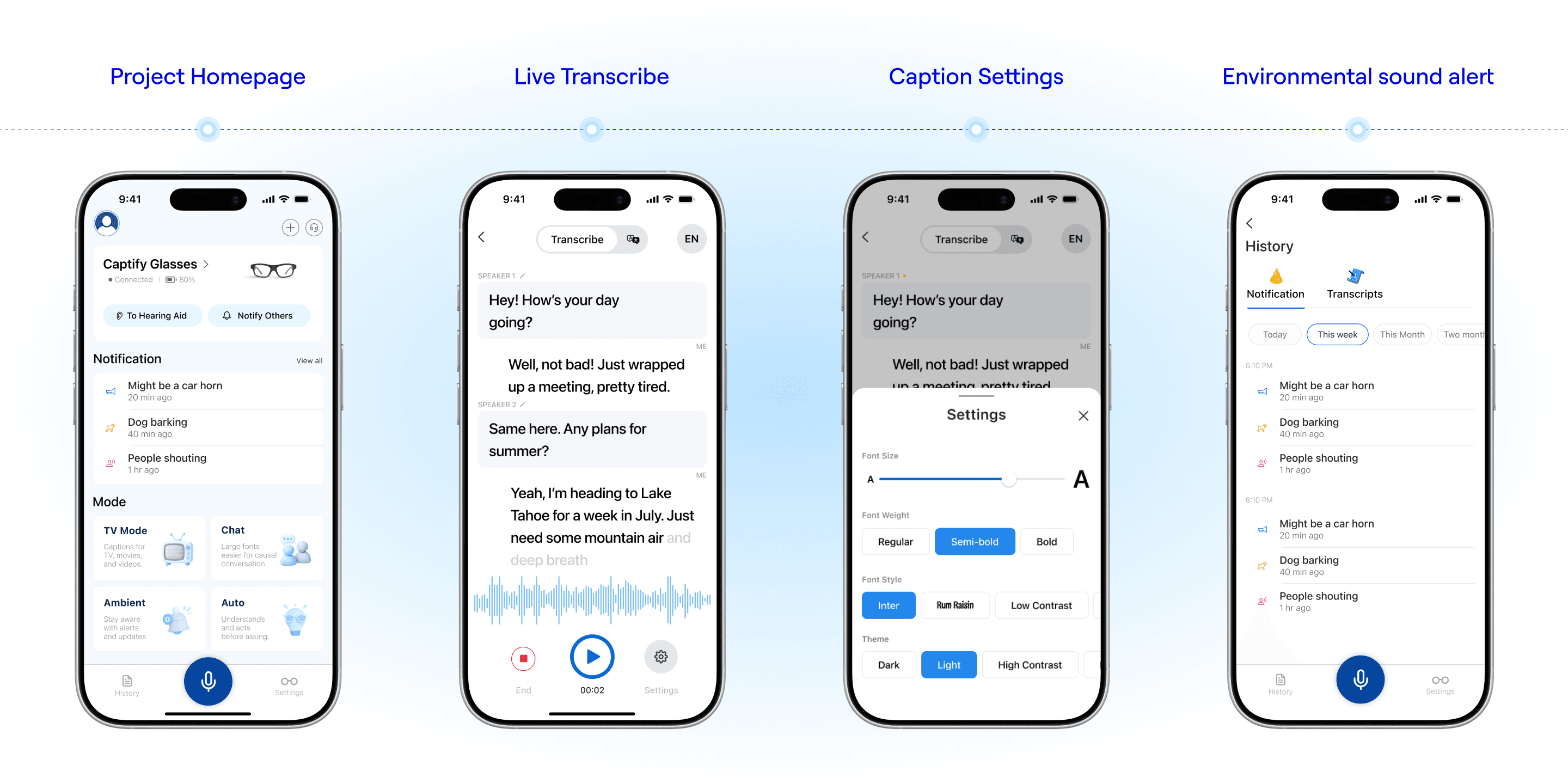
Unified flows across homepage, live transcription, caption settings, and environmental alerts.

Final Design
Designed for faster, more reliable everyday use
Unified flows across homepage, live transcription, caption settings, and environmental alerts.

Final Design
Designed for faster, more reliable everyday use
Unified flows across homepage, live transcription, caption settings, and environmental alerts.

Highlight 1
Smart mode
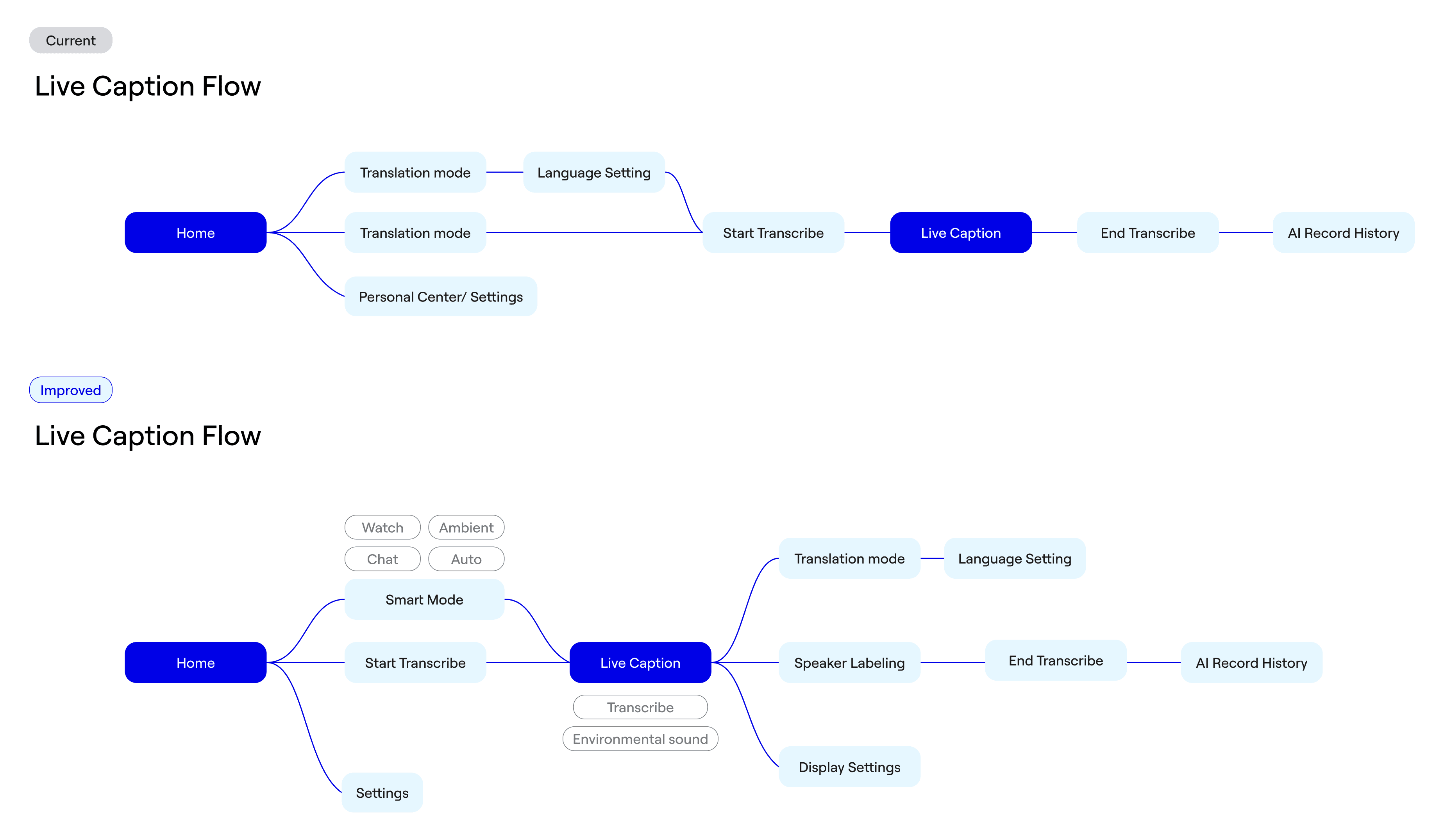
One-tap presets that auto-configure settings for different situations, making setup effortless.
Highlight 2
Environmental sound alerts
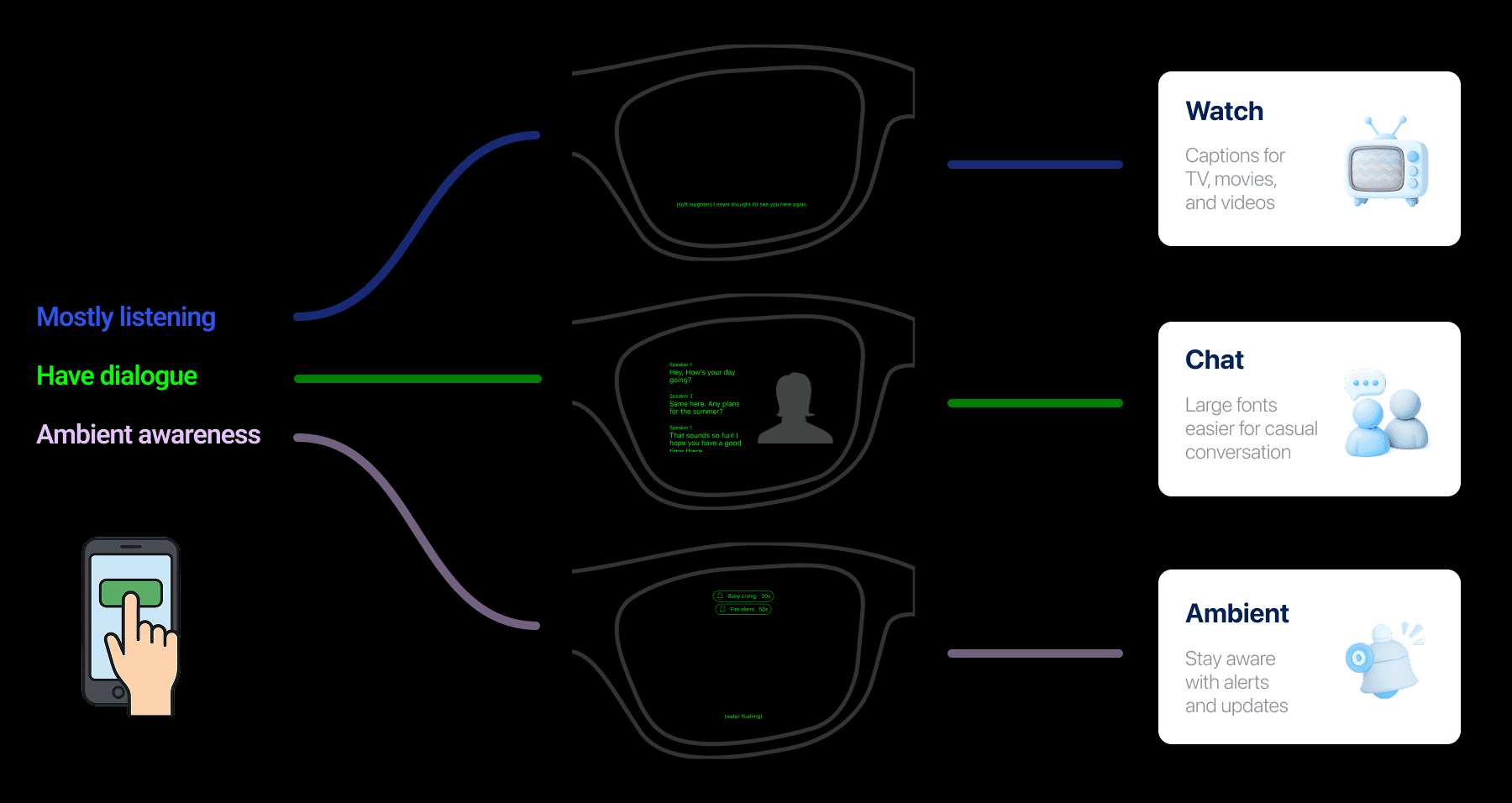
Keeps users aware of important sounds around them with simple, real-time alerts—helping them feel safe and informed in any environment.
Highlight 3
Speaker Labeling & Customization
Color-coded speaker tags and font sizing options improve multi-person conversations.
Challenge 1: Homepage experience
How might we redesign the homepage to make key actions clearer and easier to use?

Challenge 1: Homepage experience
How might we redesign the homepage to make key actions clearer and easier to use?

Challenge 1: Homepage experience
How might we redesign the homepage to make key actions clearer and easier to use?

Challenge 2: Environment sound alerts
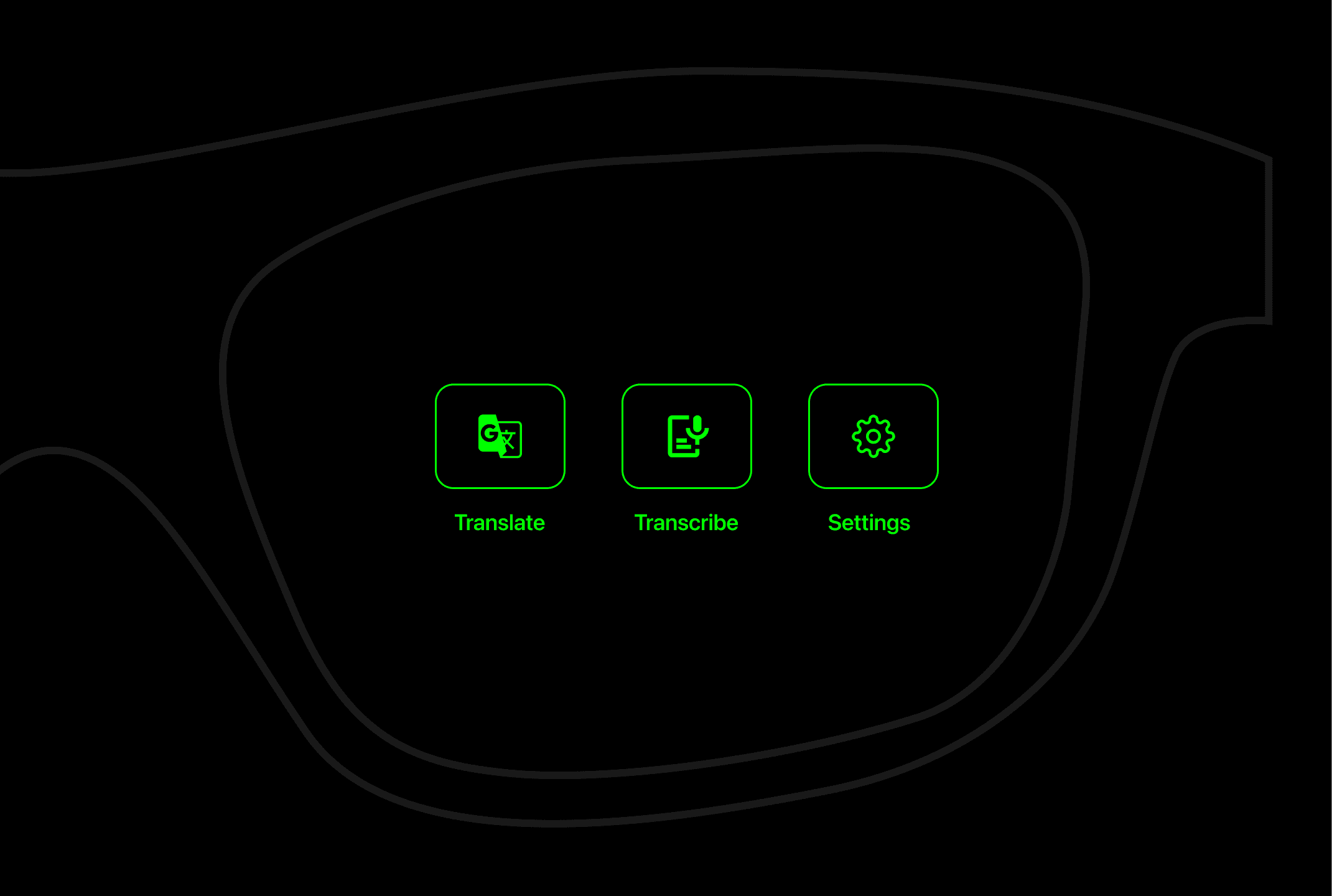
How captions and environmental sound alerts work together as an integrated system on the wearable device?

Challenge 2: Environment sound alerts
How captions and environmental sound alerts work together as an integrated system on the wearable device?

Challenge 2: Environment sound alerts
How captions and environmental sound alerts work together as an integrated system on the wearable device?


What I learned
What I learned
What I learned
Even the most empathetic designer learns the most from real conversations
Talking directly with deaf and hard-of-hearing users reinforced that no assumption replaces lived experience. Their daily challenges shaped clearer, more empathetic design decisions.
Even the most empathetic designer learns the most from real conversations
Talking directly with deaf and hard-of-hearing users reinforced that no assumption replaces lived experience. Their daily challenges shaped clearer, more empathetic design decisions.
Even the most empathetic designer learns the most from real conversations
Talking directly with deaf and hard-of-hearing users reinforced that no assumption replaces lived experience. Their daily challenges shaped clearer, more empathetic design decisions.
Designing for Ease, Not Effort
In accessibility-focused products, simplicity is a strength. Too many options created hesitation, especially for older users. Designing for quick actions, adaptive captions, and smart defaults helped keep the focus on conversation, not controls.
Designing for Ease, Not Effort
In accessibility-focused products, simplicity is a strength. Too many options created hesitation, especially for older users. Designing for quick actions, adaptive captions, and smart defaults helped keep the focus on conversation, not controls.
Designing for Ease, Not Effort
In accessibility-focused products, simplicity is a strength. Too many options created hesitation, especially for older users. Designing for quick actions, adaptive captions, and smart defaults helped keep the focus on conversation, not controls.
What I’d Do Differently
I would push further on clarity: higher contrast, larger touch targets, clearer labels, and a simplified mode to reduce visual clutter and cognitive load.
What I’d Do Differently
I would push further on clarity: higher contrast, larger touch targets, clearer labels, and a simplified mode to reduce visual clutter and cognitive load.
What I’d Do Differently
I would push further on clarity: higher contrast, larger touch targets, clearer labels, and a simplified mode to reduce visual clutter and cognitive load.
Next steps
Next steps
Next steps
AI Speaker Identification
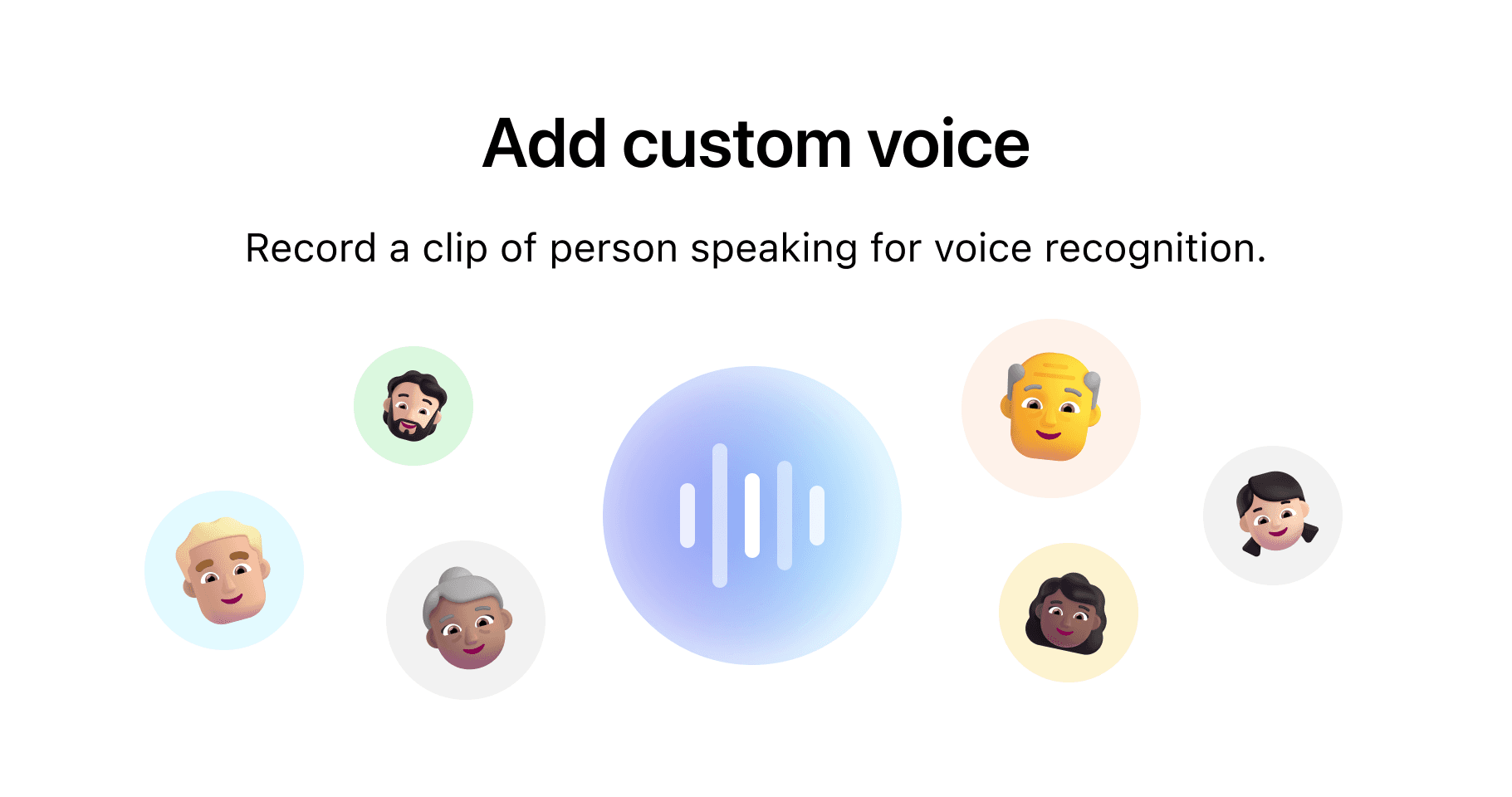
Allow users to label frequent speakers so the system can recognize and tag voices automatically, improving context and accuracy over time.
AI Speaker Identification
Allow users to label frequent speakers so the system can recognize and tag voices automatically, improving context and accuracy over time.

AI Speaker Identification
Allow users to label frequent speakers so the system can recognize and tag voices automatically, improving context and accuracy over time.

Manage Notifications & Transcripts
Refine alerts and transcripts by importance, delete outdated content, and improve long-session performance for real-world use.
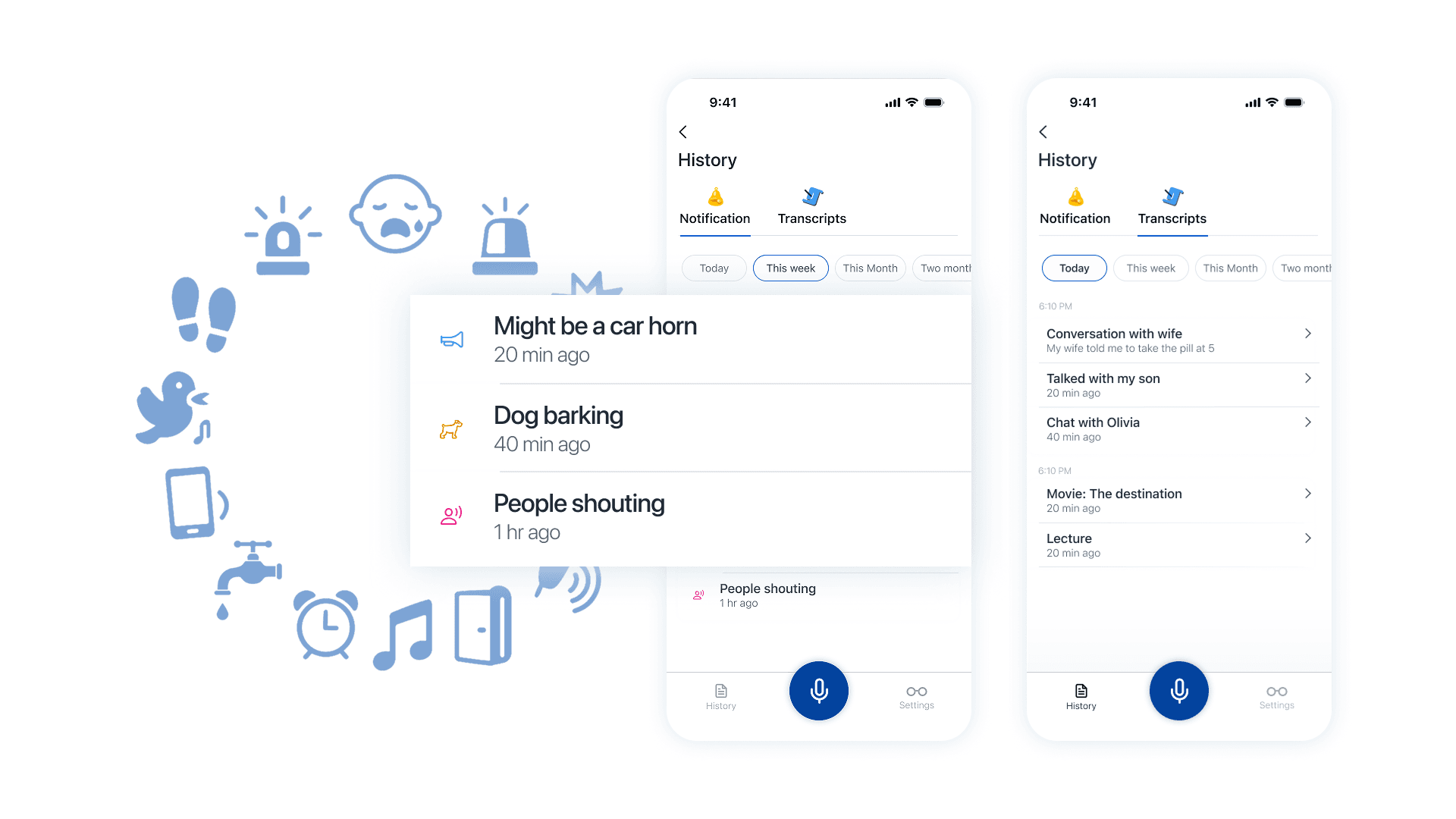
Manage Notifications & Transcripts
Refine alerts and transcripts by importance, delete outdated content, and improve long-session performance for real-world use.

Manage Notifications & Transcripts
Refine alerts and transcripts by importance, delete outdated content, and improve long-session performance for real-world use.