Turn long videos into viral clips—instantly, with AI
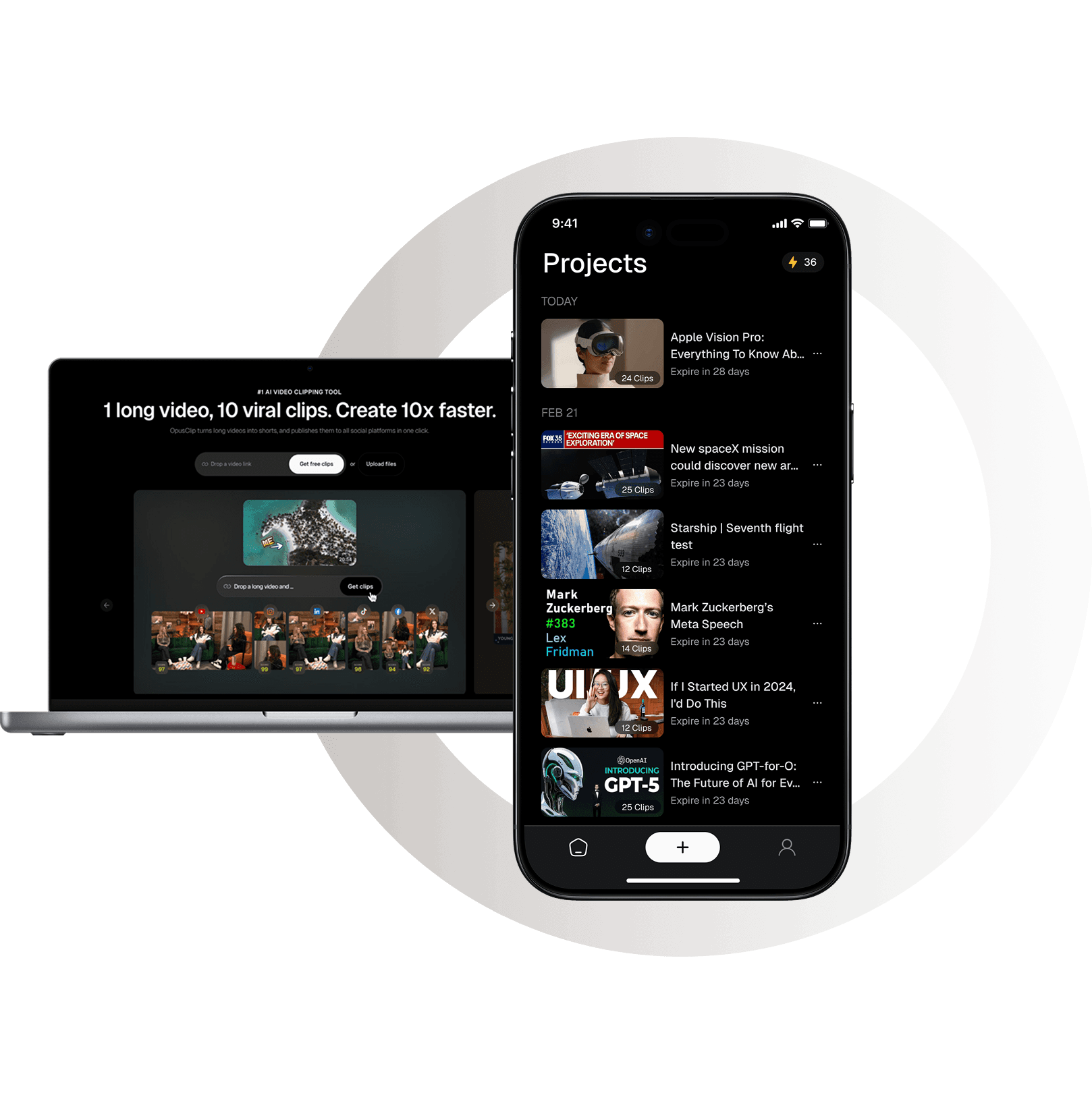
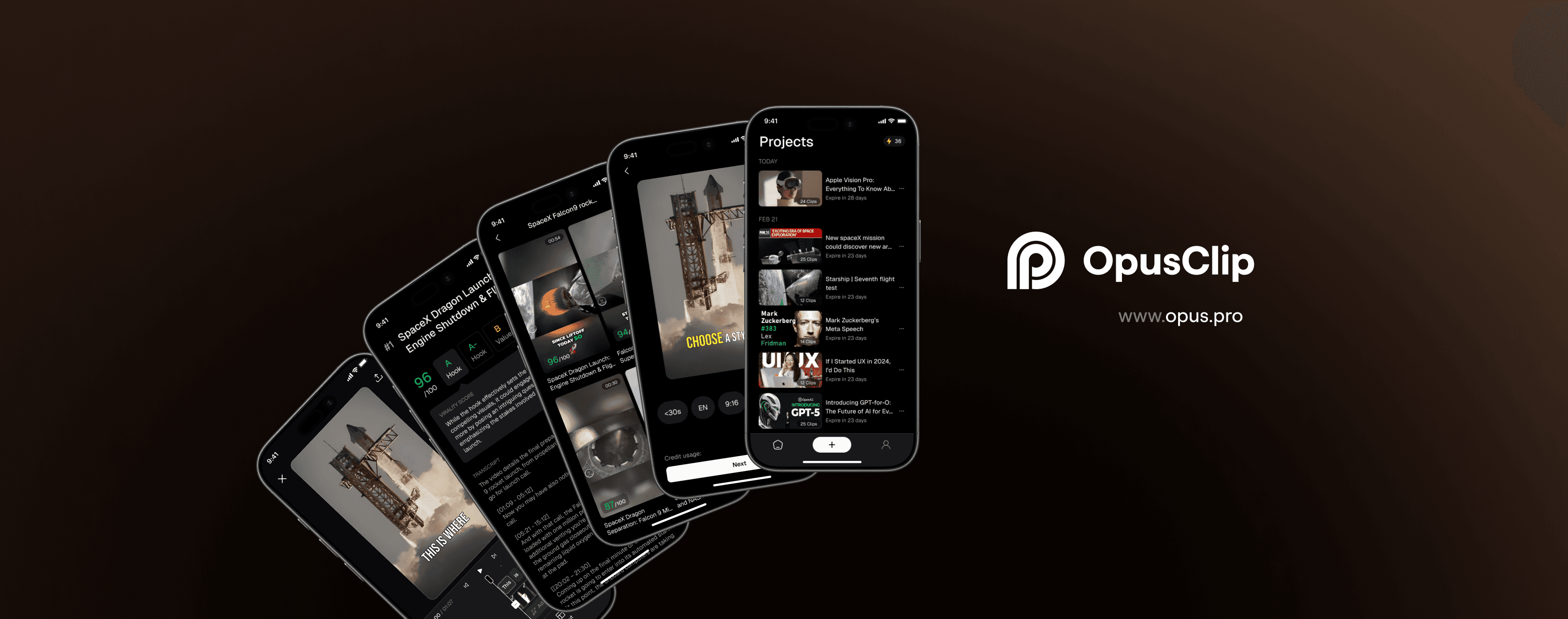
OpusClip is an AI video tool that turns long videos into viral-ready shorts in one click. I led UX for its 0→1 mobile app, focusing on fast clip review and publishing with AI-powered highlights and animated captions. The experience reduced editing time by 70% and helped users publish their first clip in under a minute.
Company
OpusClip
PLATFORM
Platform
Mobile
Year
2025
Duration
10 months
#1 AI video clipping & editing tool used by 12M+ creators and businesses.
50M+
Fundings
12M+
Users
170M+
Clips created
57B+
Total clip views

#1 AI video clipping & editing tool used by 12M+ creators and businesses.
50M+
Fundings
12M+
Users
170M+
Clips created
#1 AI video clipping & editing tool used by 12M+ creators and businesses.
50M+
Fundings
12M+
Users
170M+
Clips created
57B+
Total clip views

Business Goal
Launch OpusClip’s first mobile app to extend the web experience and improve creator retention.

Business Goal
Launch OpusClip’s first mobile app to extend the web experience and improve creator retention.

Business Goal
Launch OpusClip’s first mobile app to extend the web experience and improve creator retention.

User & Needs
Content Creator
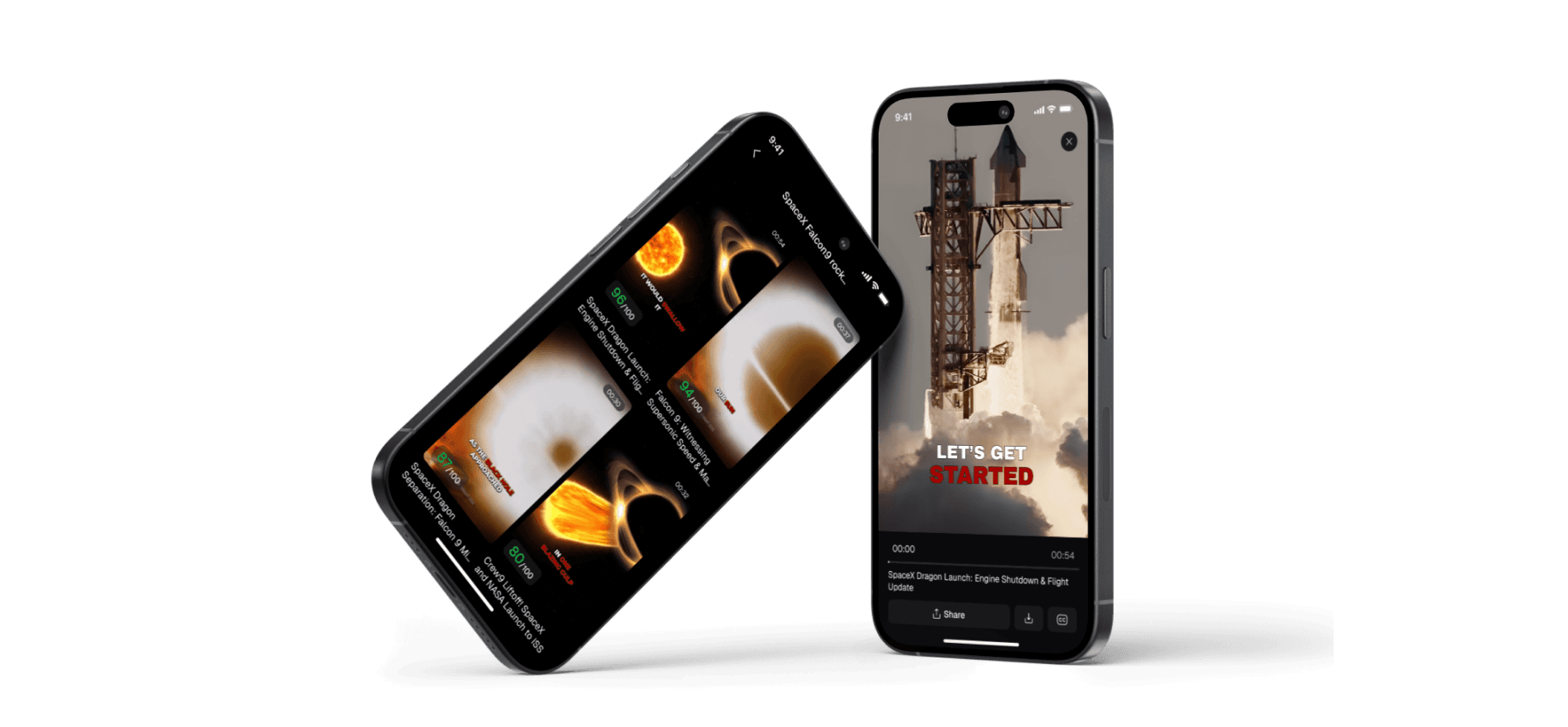
Creators loved using Opus web for intelligent video clipping, but struggled when on the go. The web workflow was too heavy for quick editing or rating, leading to lost engagement and slower content turnaround.
User & Needs
Content Creator
Creators loved using Opus web for intelligent video clipping, but struggled when on the go. The web workflow was too heavy for quick editing or rating, leading to lost engagement and slower content turnaround.
User & Needs
Content Creator
Creators loved using Opus web for intelligent video clipping, but struggled when on the go. The web workflow was too heavy for quick editing or rating, leading to lost engagement and slower content turnaround.
My Role
Working within a lean mobile MVP team, I helped narrow the product to its most valuable use cases. I led mobile product design, made scope tradeoffs, and partnered closely with engineers to deliver a fast, retention-driven experience.

My Role
Working within a lean mobile MVP team, I helped narrow the product to its most valuable use cases. I led mobile product design, made scope tradeoffs, and partnered closely with engineers to deliver a fast, retention-driven experience.

My Role
Working within a lean mobile MVP team, I helped narrow the product to its most valuable use cases. I led mobile product design, made scope tradeoffs, and partnered closely with engineers to deliver a fast, retention-driven experience.

Impact
Launched the Opus mobile app (now live on the Apple Store) as a companion tool to the web platform.
+44%
Day 1 retention
+55%
Day 7 retention
+12%
Adoption rate from desktop to mobile
55%
mobile publish rate

Impact
Launched the Opus mobile app (now live on the Apple Store) as a companion tool to the web platform.
+44%
Day 1 retention
+55%
Day 7 retention
+12%
Adoption rate from desktop to mobile
55%
mobile publish rate

Impact
Launched the Opus mobile app (now live on the Apple Store) as a companion tool to the web platform.
+44%
Day 1 retention
+55%
Day 7 retention
+12%
Adoption rate from desktop to mobile
55%
mobile publish rate

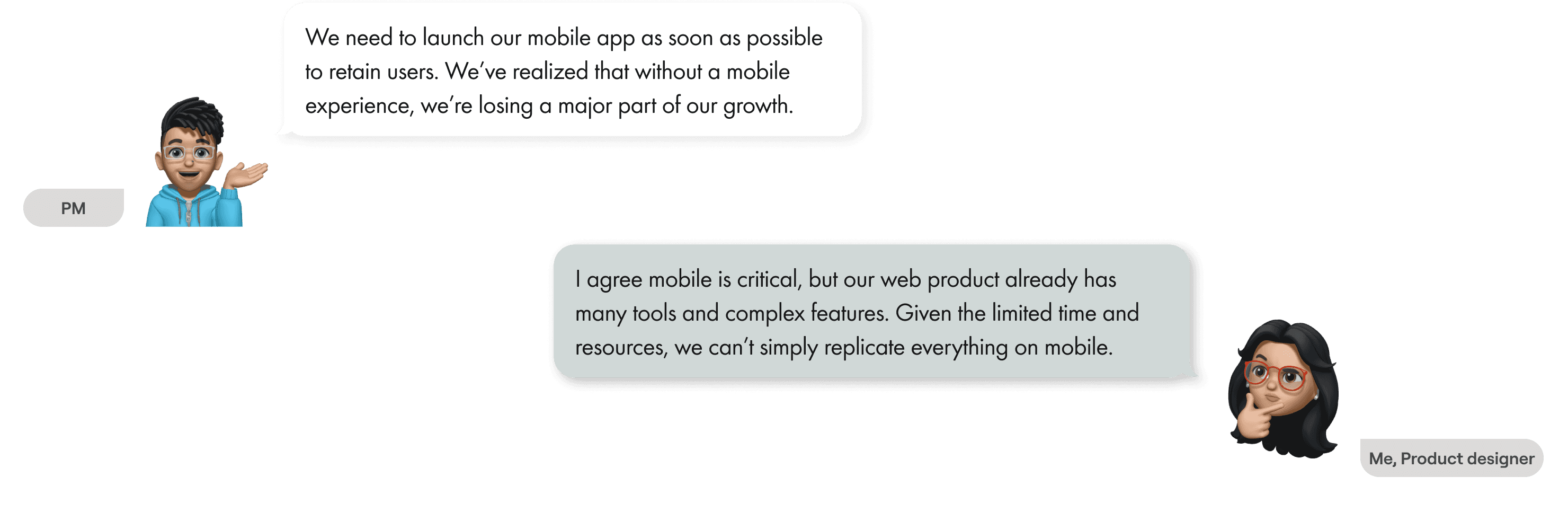
Discussion of the scope of MVP mobile app
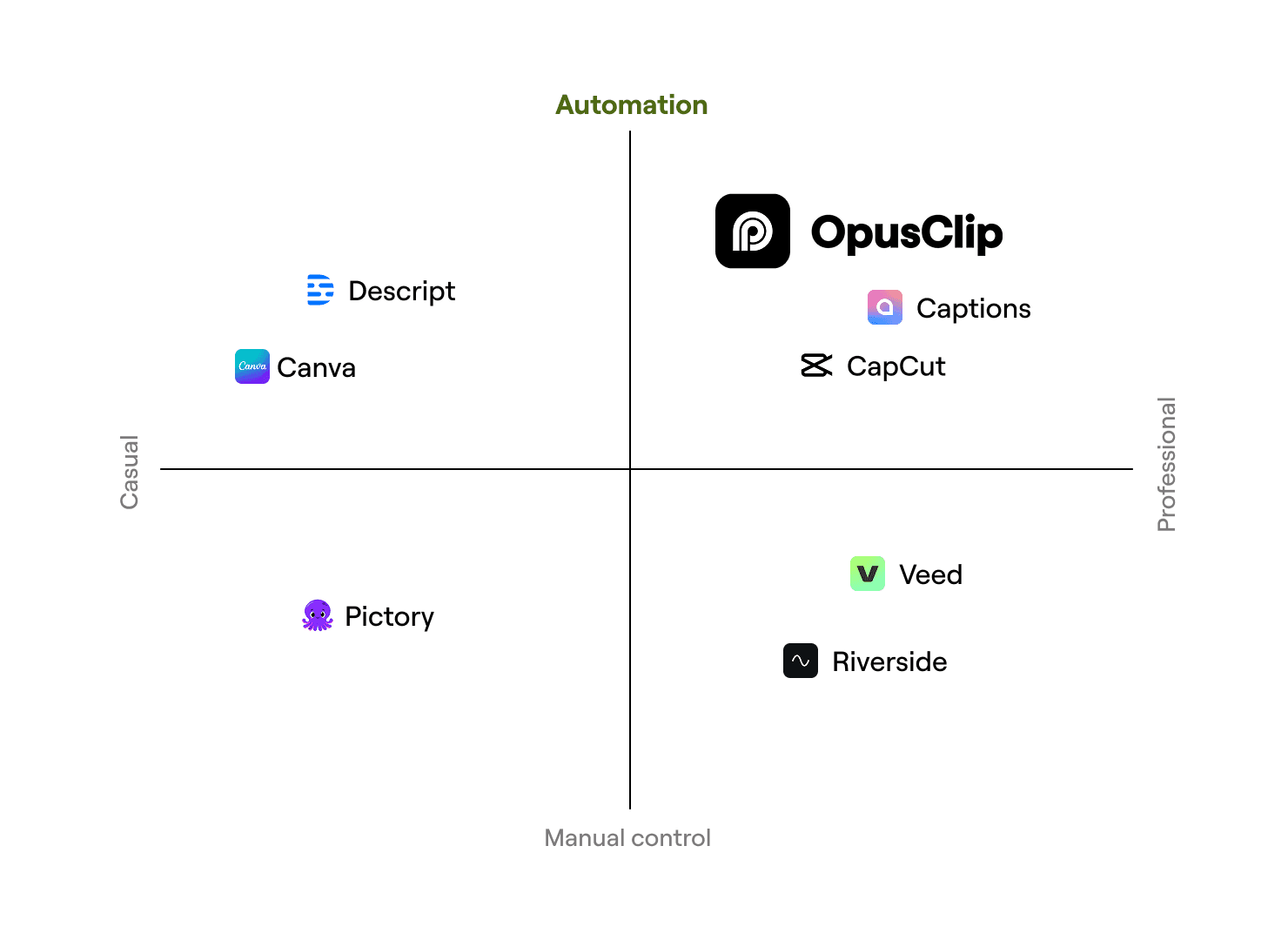
Competitive landscape
Web vs mobile, different habit
Built for speed and simplicity, OpusClip APP lets creators focus on ideas, not editing. AI handles the cuts, captions, and flow so great videos happen automatically.
Competitive landscape
Web vs mobile, different habit
Built for speed and simplicity, OpusClip APP lets creators focus on ideas, not editing. AI handles the cuts, captions, and flow so great videos happen automatically.

Competitive landscape
Web vs mobile, different habit
Built for speed and simplicity, OpusClip APP lets creators focus on ideas, not editing. AI handles the cuts, captions, and flow so great videos happen automatically.


Product audit
At launch, our priority is to make the OpusClip app intuitive and effortless for creators who already know and love our web platform. Instead of overwhelming users with new tools or advanced settings, we focus on delivering a familiar, streamlined experience that just works.
Product audit
At launch, our priority is to make the OpusClip app intuitive and effortless for creators who already know and love our web platform. Instead of overwhelming users with new tools or advanced settings, we focus on delivering a familiar, streamlined experience that just works.

Product audit
At launch, our priority is to make the OpusClip app intuitive and effortless for creators who already know and love our web platform. Instead of overwhelming users with new tools or advanced settings, we focus on delivering a familiar, streamlined experience that just works.

User Interview
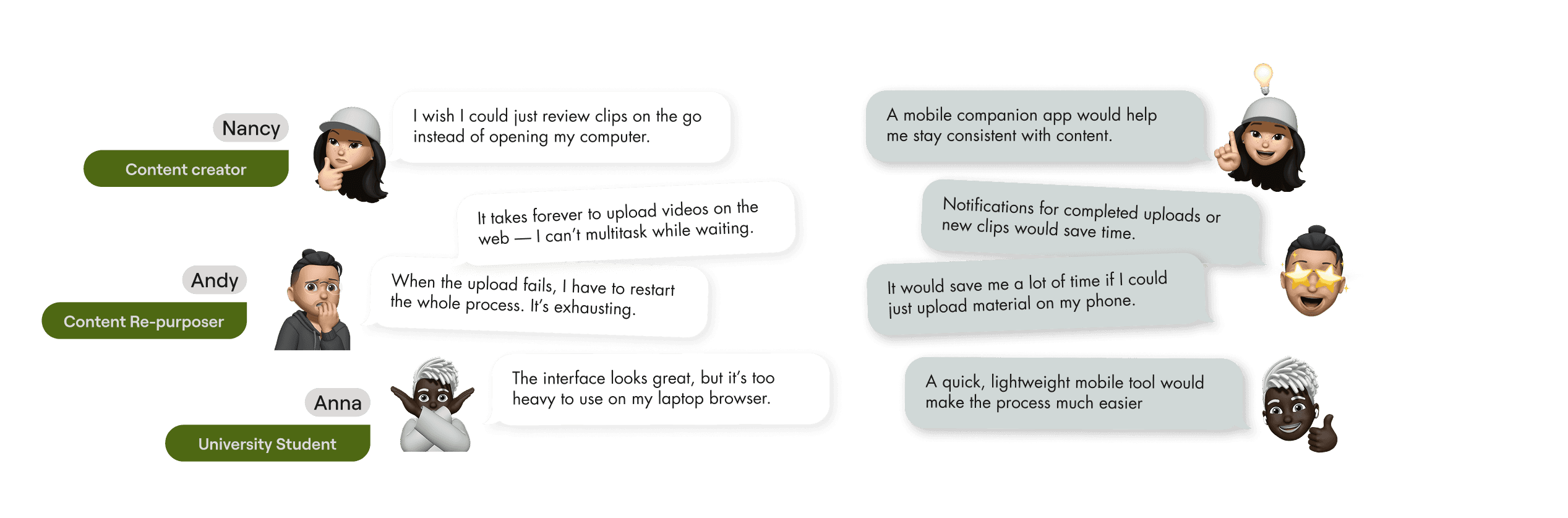
What are the users looking for?
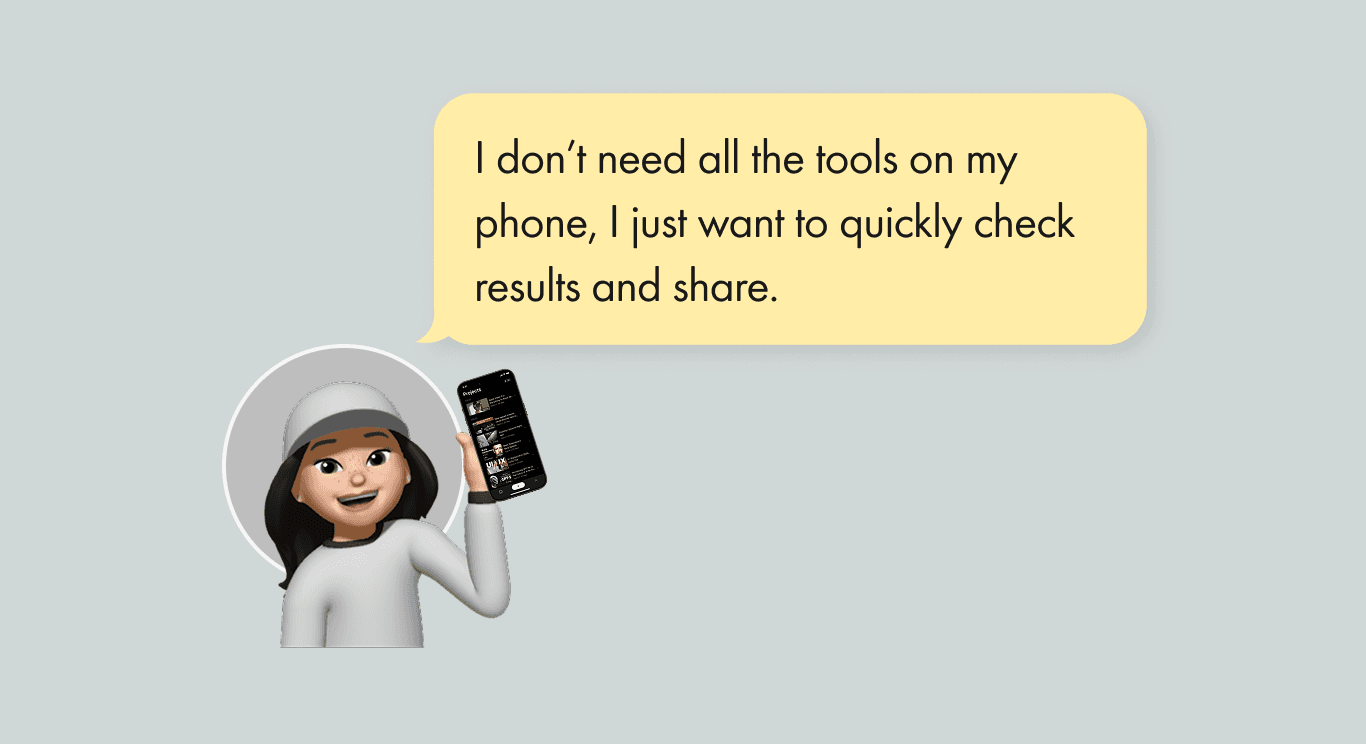
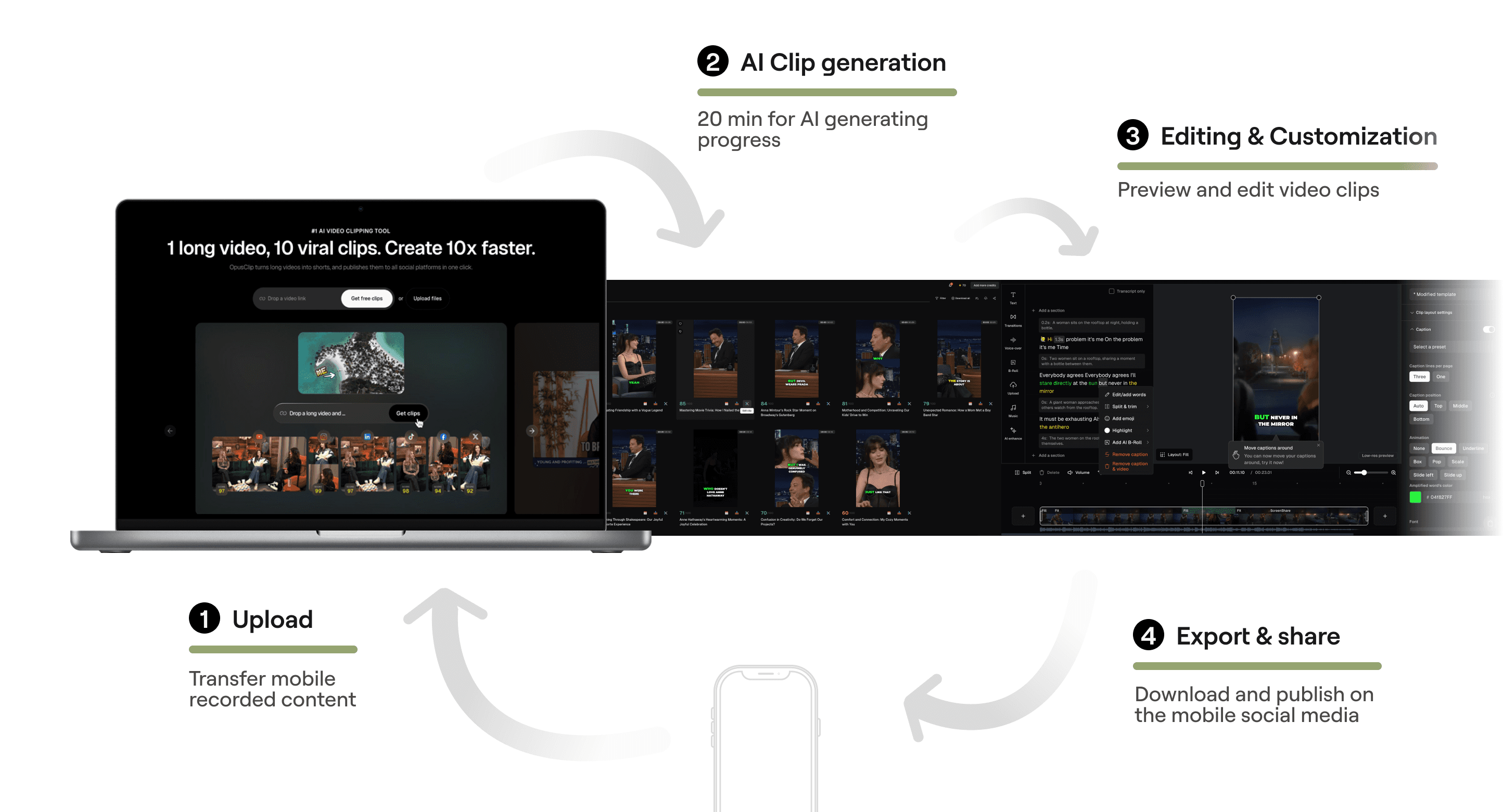
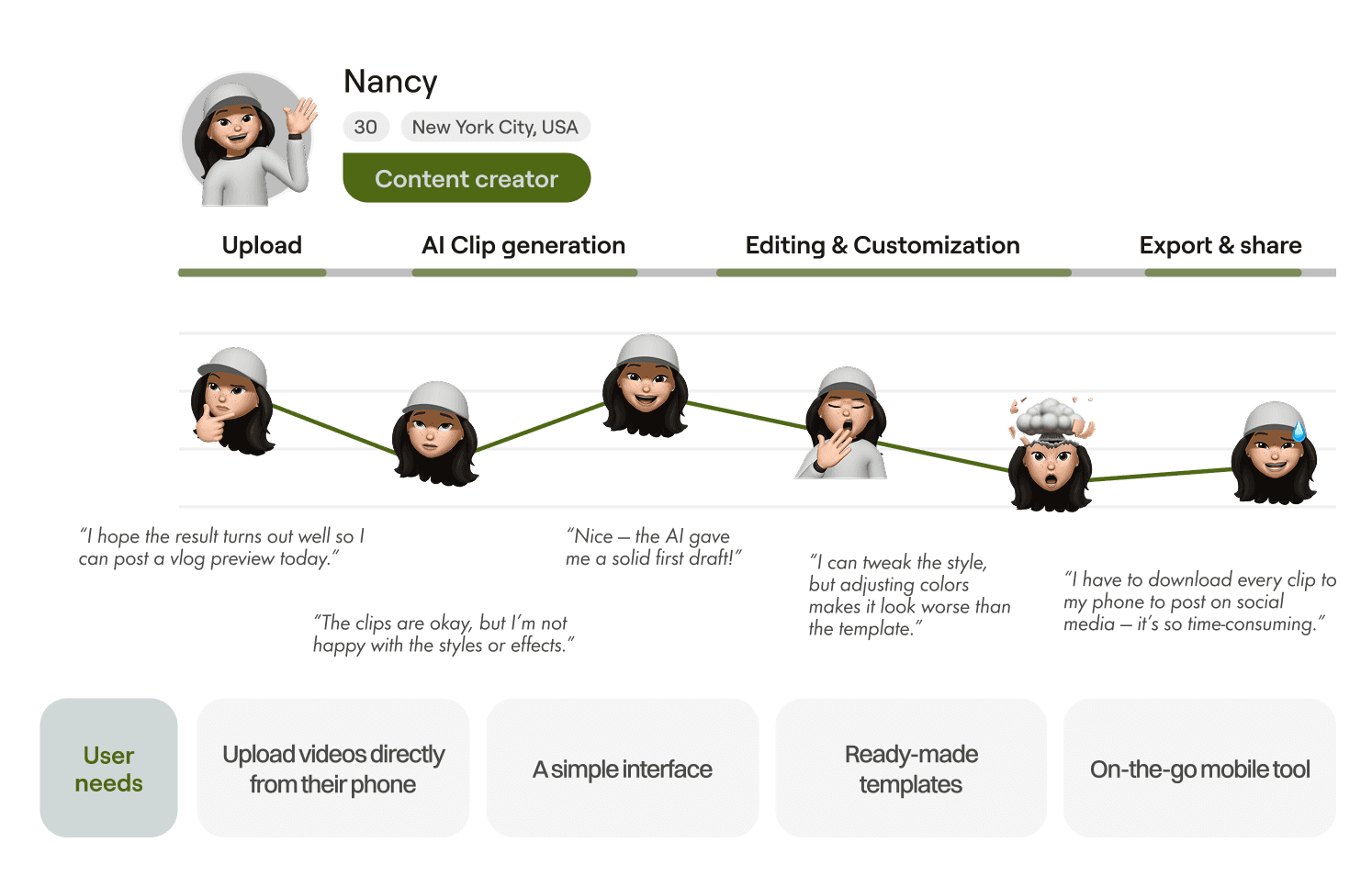
+ Eliminates the need to transfer mobile-recorded content to a web platform. + No need to wait 20 minutes-monitor AI progress, preview clips, and publish directly on mobile without returning to desktop.
User Interview
What are the users looking for?
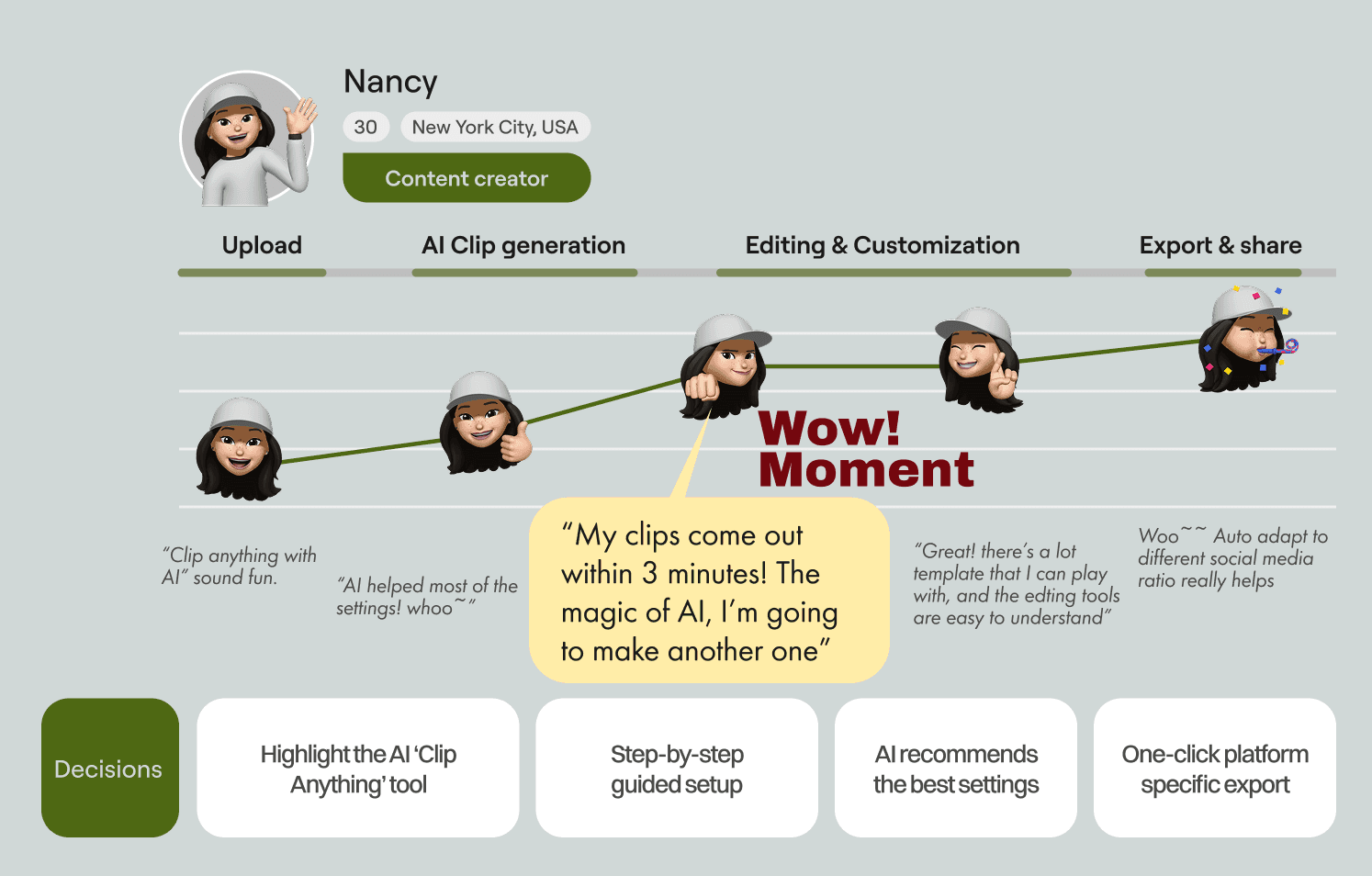
+ Eliminates the need to transfer mobile-recorded content to a web platform. + No need to wait 20 minutes-monitor AI progress, preview clips, and publish directly on mobile without returning to desktop.
User Interview
What are the users looking for?
+ Eliminates the need to transfer mobile-recorded content to a web platform. + No need to wait 20 minutes-monitor AI progress, preview clips, and publish directly on mobile without returning to desktop.
On the web, long uploads and complex editing steps break the creative flow and make the process feel slow and disconnected.
Description

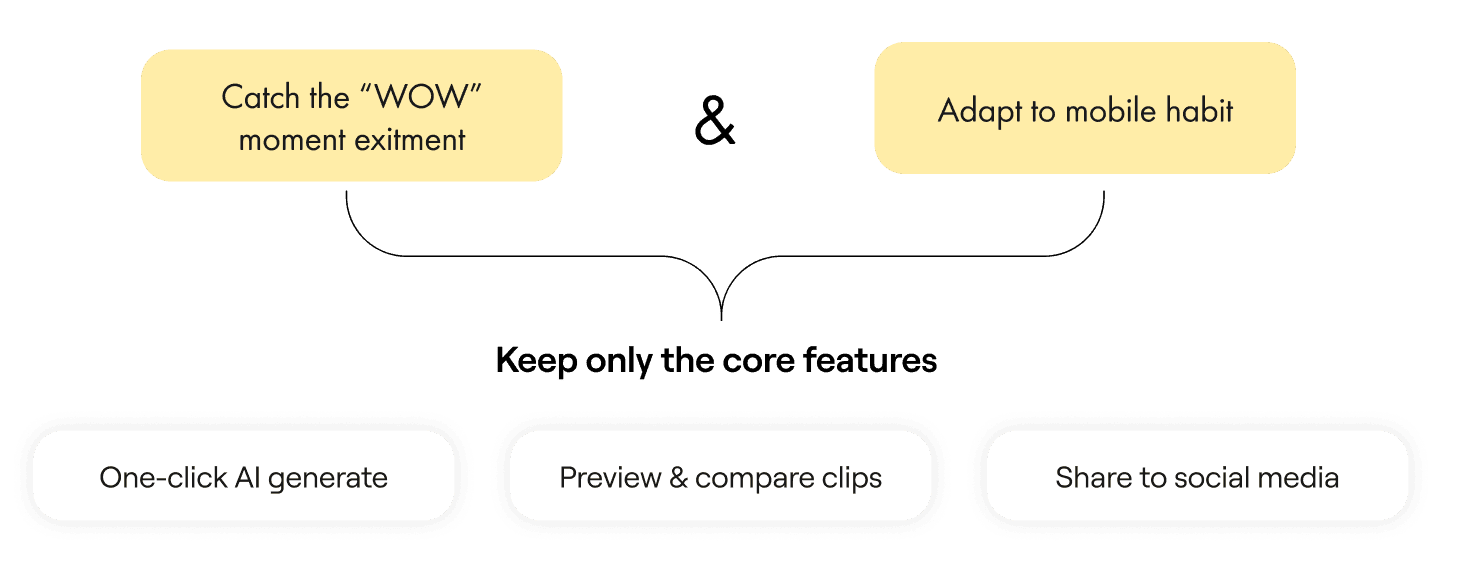
On mobile, users instantly catch that “wow” moment when the AI generates clips in seconds — turning waiting time into excitement.
Description

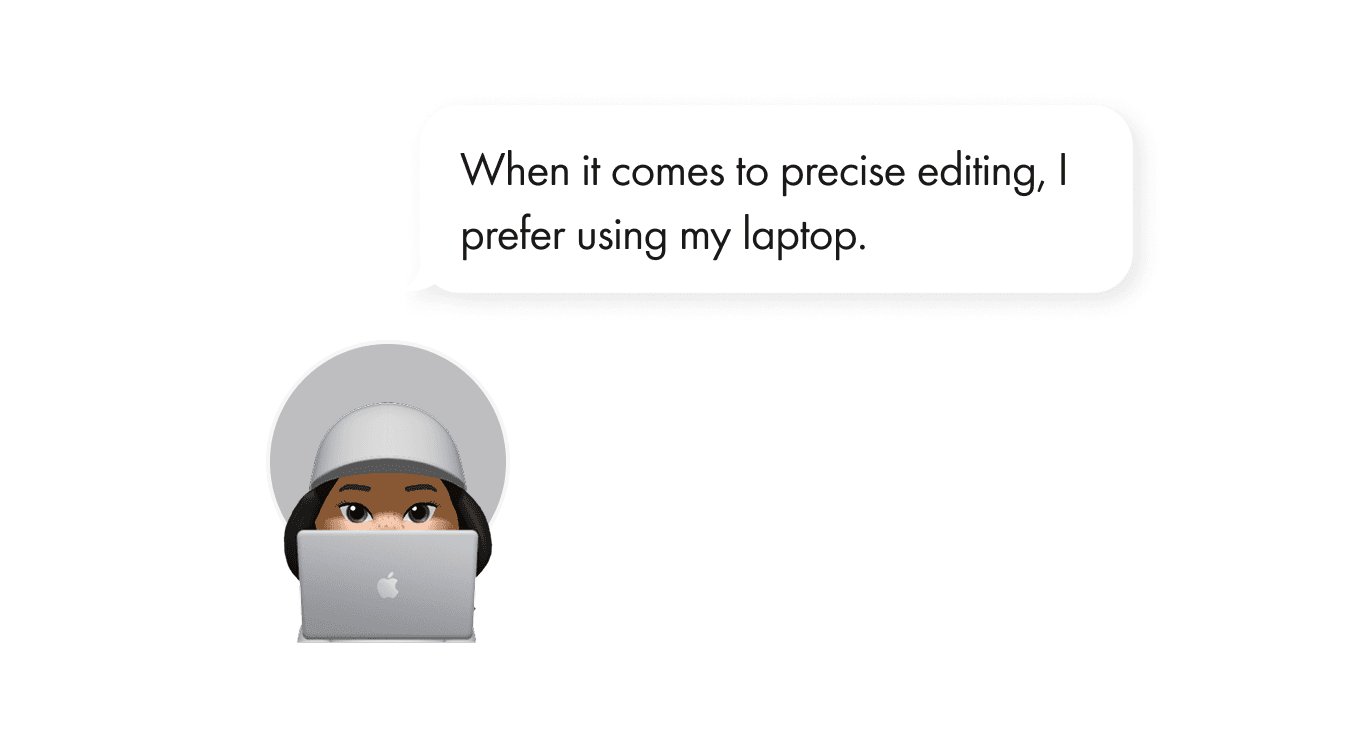
On the web: Full Control and precision edit.
Description

On mobile: Quick creation and lightweight flow.
Description

Project Scope
Mobile ≠ mini web app
Based on this understanding, we decided to treat mobile as a focused MVP rather than a feature-complete extension of the web product.
Project Scope
Mobile ≠ mini web app
Based on this understanding, we decided to treat mobile as a focused MVP rather than a feature-complete extension of the web product.

Project Scope
Mobile ≠ mini web app
Based on this understanding, we decided to treat mobile as a focused MVP rather than a feature-complete extension of the web product.

Final Design & Challenges
MVP Launch
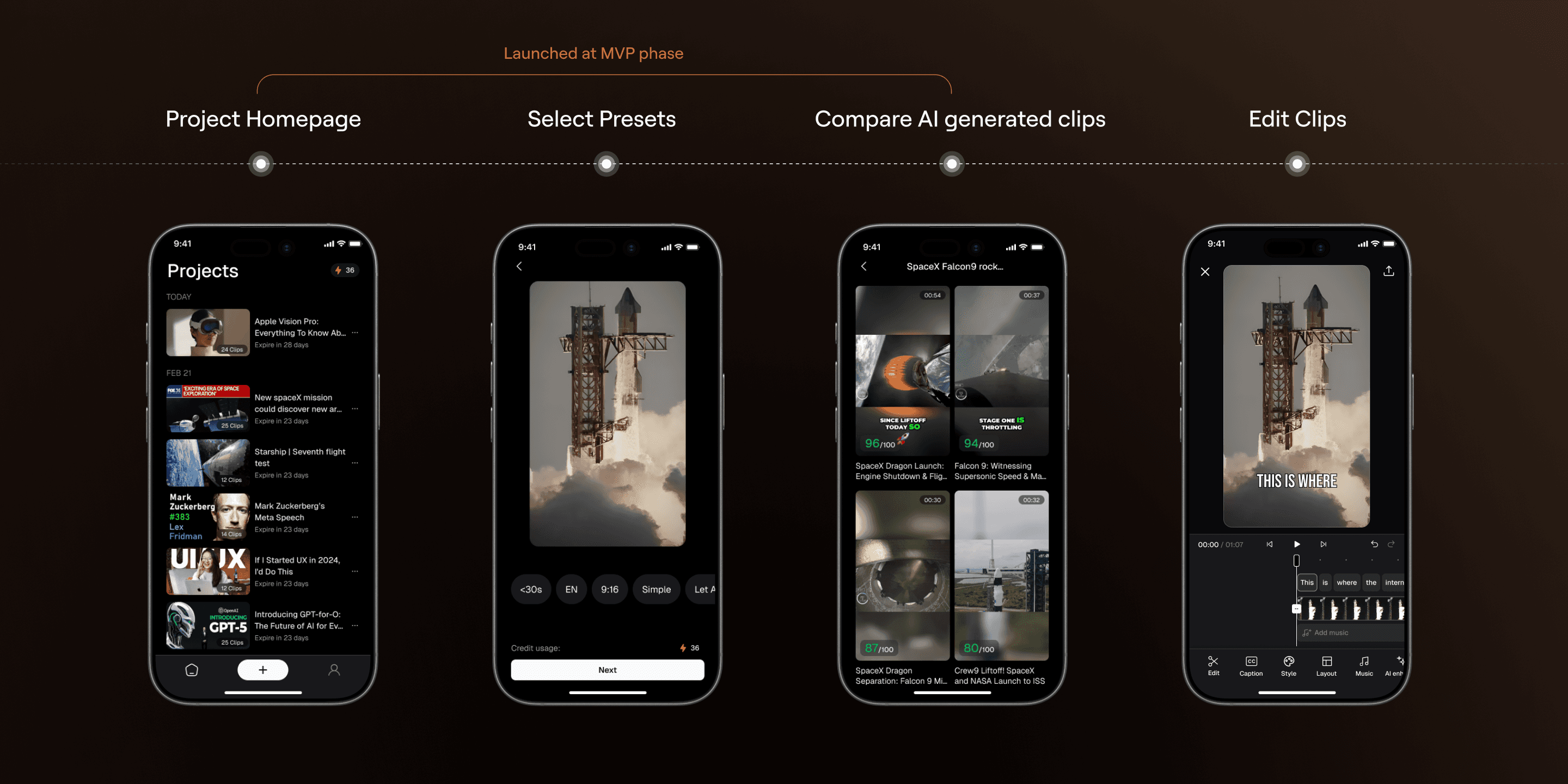
Through research-driven scoping, we aligned on three core priorities and shipped the MVP in six months.
MVP Launch
Through research-driven scoping, we aligned on three core priorities and shipped the MVP in six months.

MVP Launch
Through research-driven scoping, we aligned on three core priorities and shipped the MVP in six months.

Main Experience I
Upload & Select presets to start AI editing
+ Upload video + Choose preset + Wait for AI processing (AI thinking)
Challenge: Select Presets
Challenge - Select Presets
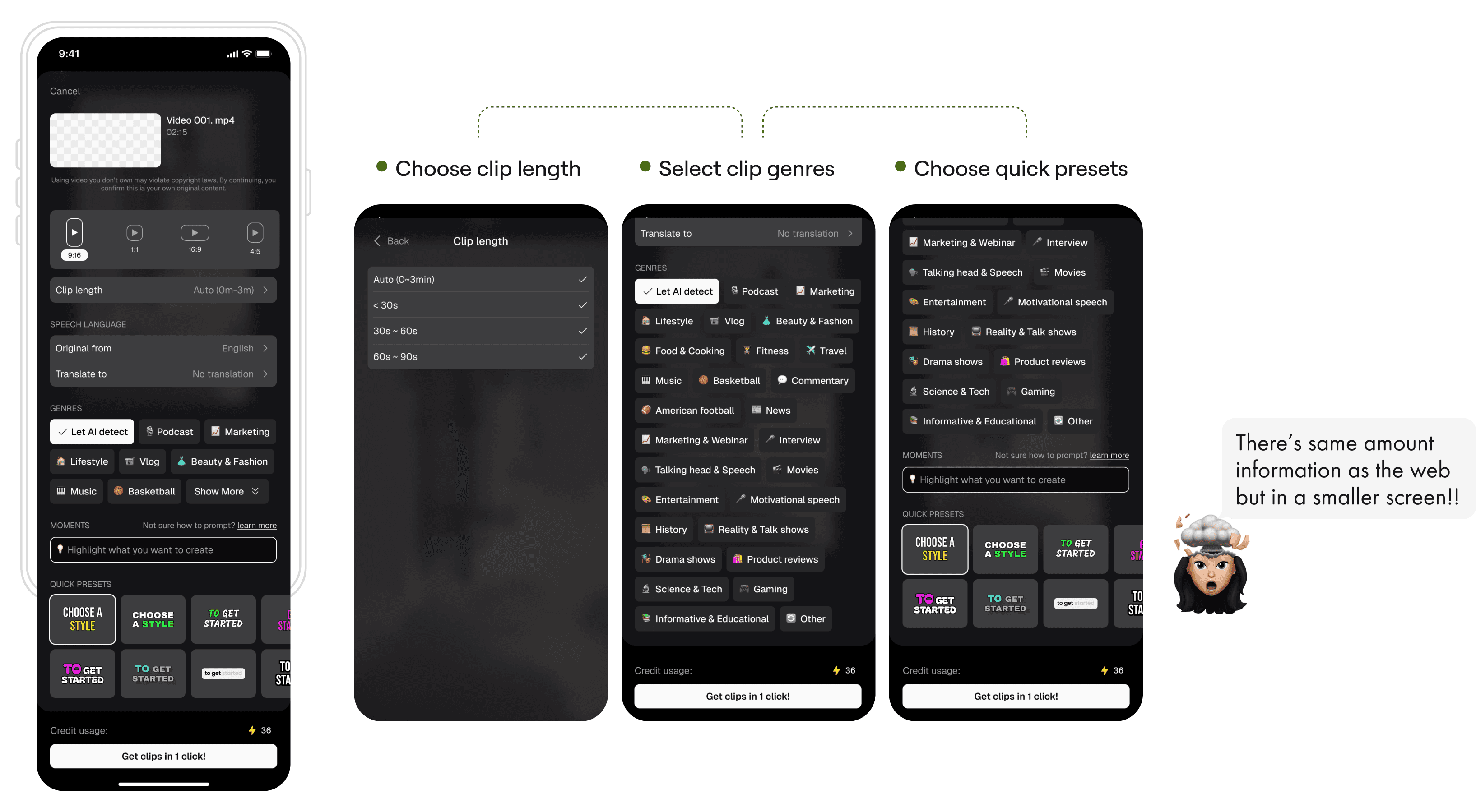
How might we help mobile users select presets effortless?
On Web |
Vertical scroll
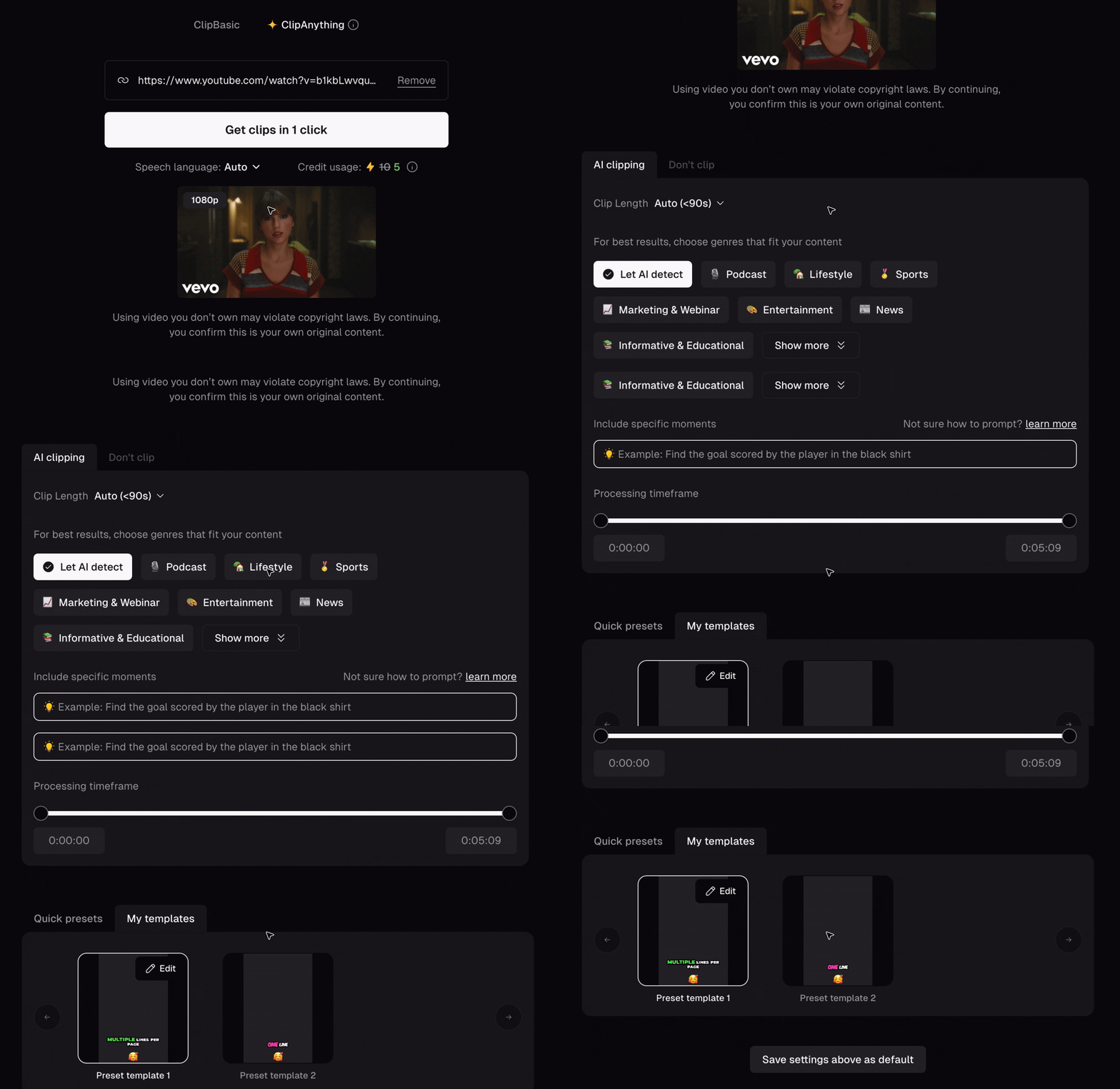
After uploading the video material, user need to choose basic settings before generating the clip.


1st Version |
All in One Page
Display all information on the preset settings page. Users can review each item one by one and make their selections. This mode replicates the flow used on the website.
🫠
Why not work?
Title
Title
Displaying too much information at once may cause cognitive overload, increasing the user drop-off rate.
There’s no live preview available when users choose different caption styles, making it harder to visualize the final appearance.
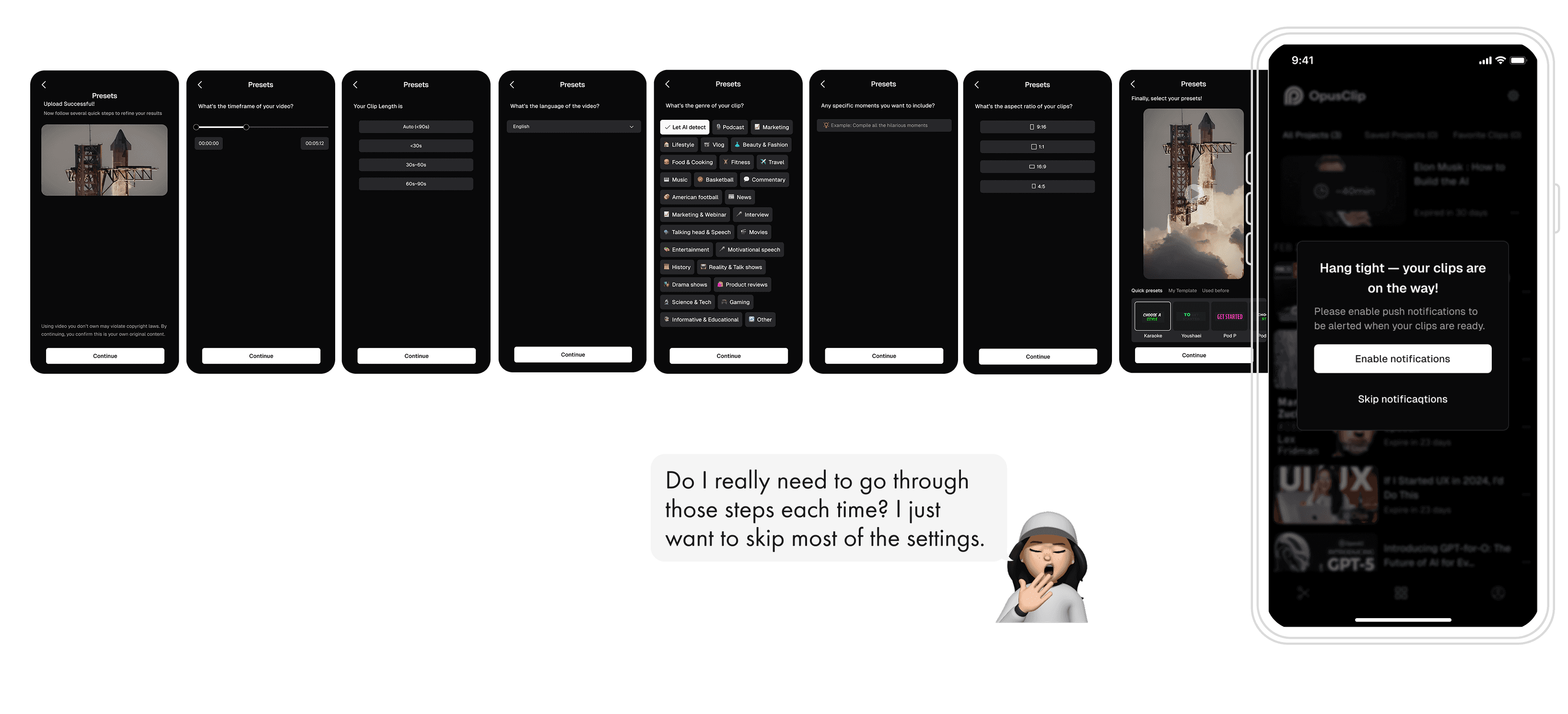
2nd Version |
Wizard
A step-by-step user interface pattern that guides users to choose the video presets, which is easier to follow.
😍
What users liked?
Progressive Disclosure: Users focused on the one choice at a time, reducing overwhelm.
🫠
Why not work?
Title
Title
Too many steps while users do not change default presets in most cases.
Going back to make edits feels cumbersome. Users expect a review screen where they can easily check and adjust their earlier inputs.
3rd Version |
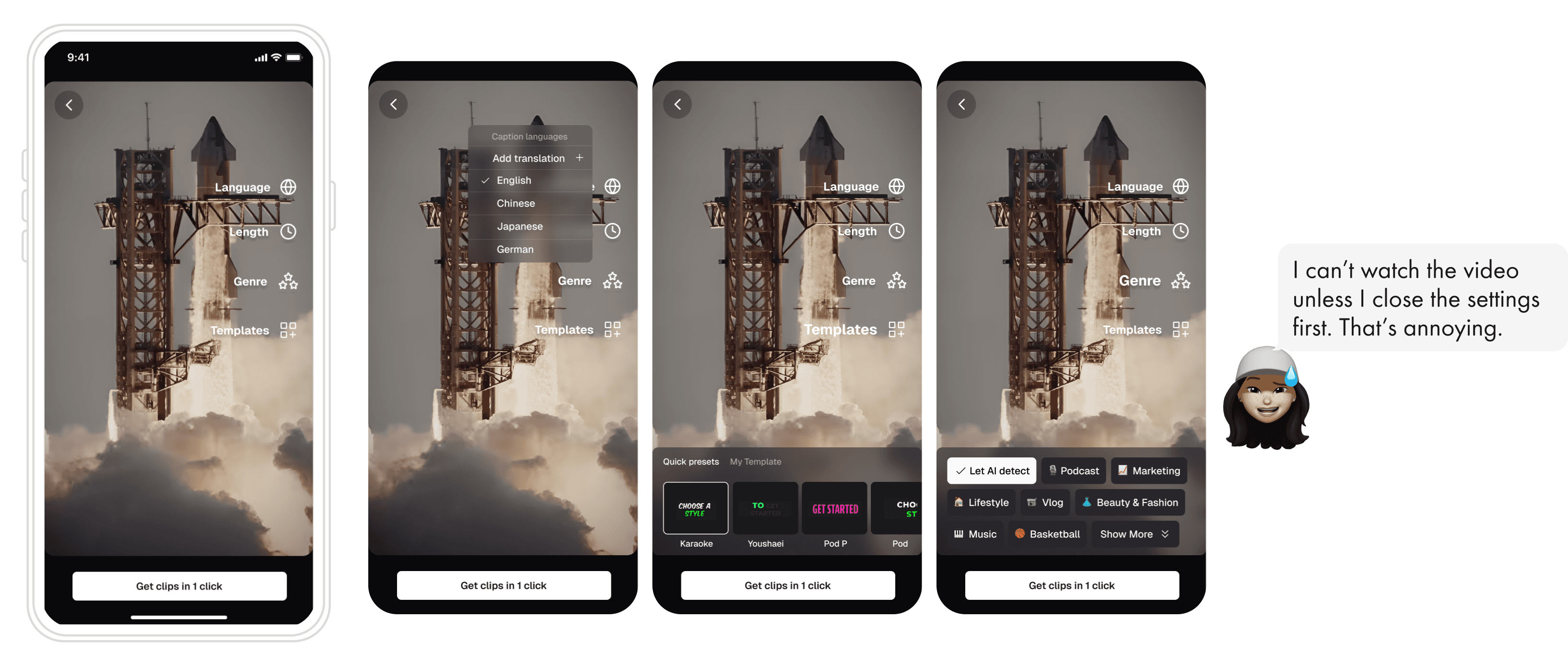
Summary
Group all settings into a single entry point, with details revealed on demand.
😍
What users liked?
The one-click entry point is fast and clean.
🫠
Why not work?
Title
Title
Setting panel covers half of the video preview.
The cast on video will Rendering bug and extra engineering effort.
Final Version |
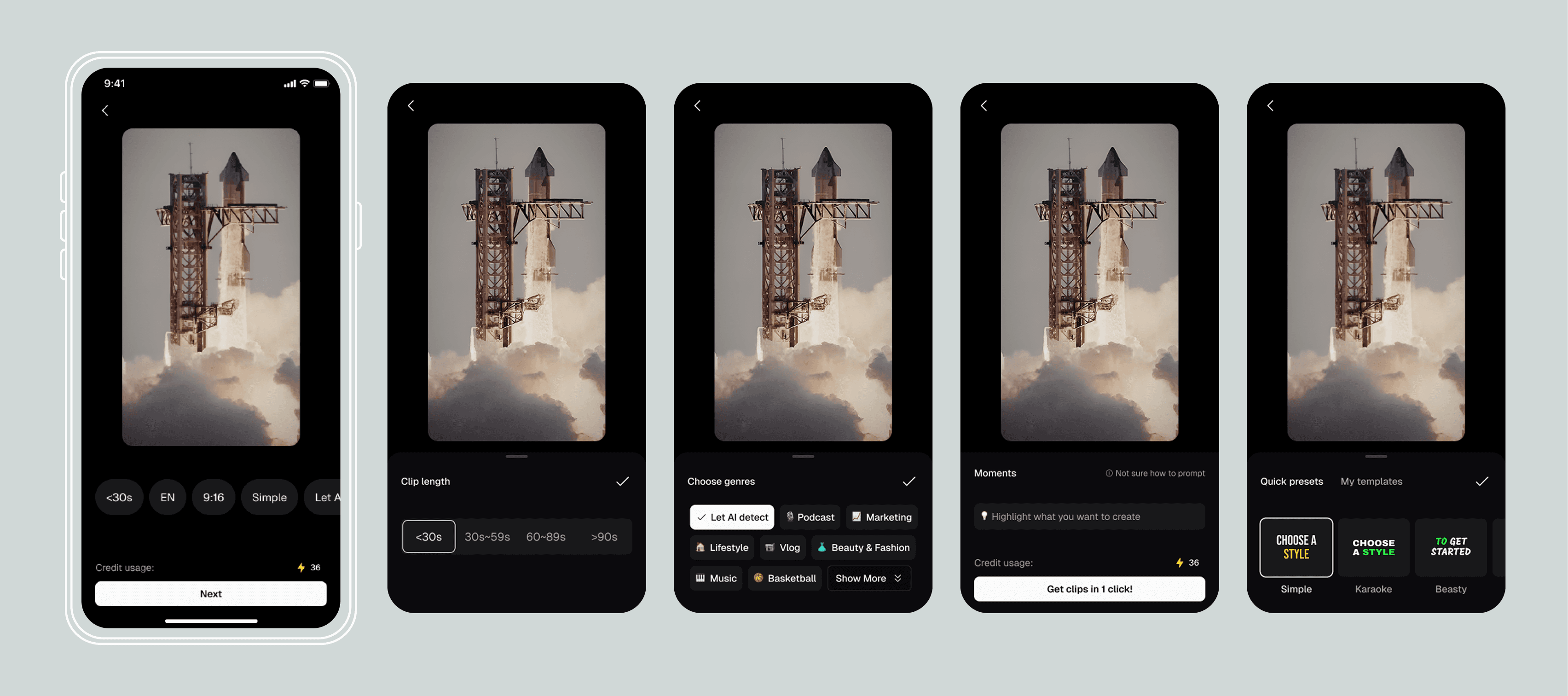
AI Choose the Best
Display all the information on the preset setting page, users go over one-by-one to make their choice, thia mode replicate from the website flow.

Main Experience II
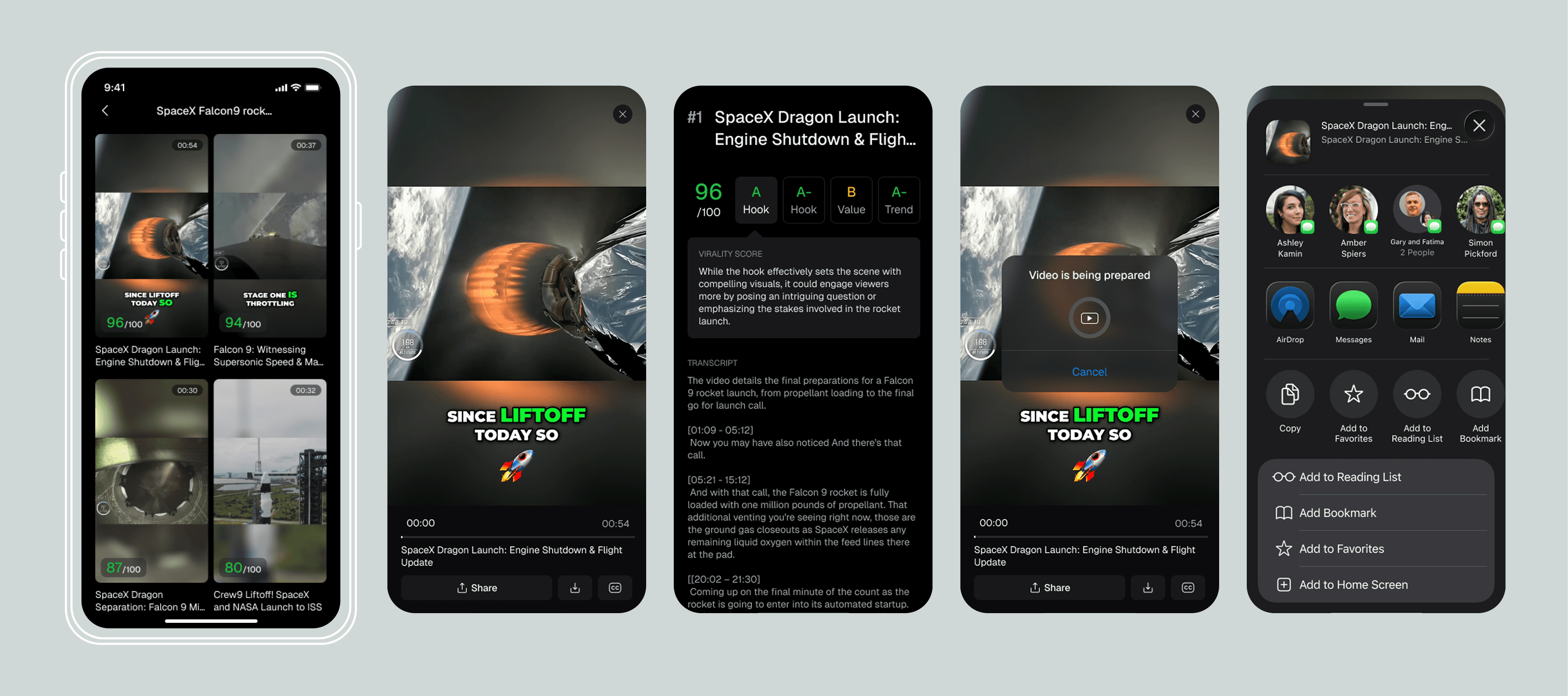
Select AI generated clips & export
+ Notification + Preview clips & compare + Publish & share
CHALLENGE 2: PREVIEW CLIPS & COMPARE
Challenge 2 - Preview Clips & Compare
How might we help mobile users preview AI generate clips and compare them to select the best one?
On Web |
Click and Preview
After clip generated, AI will rate the clips and user select the one they would like to go with.


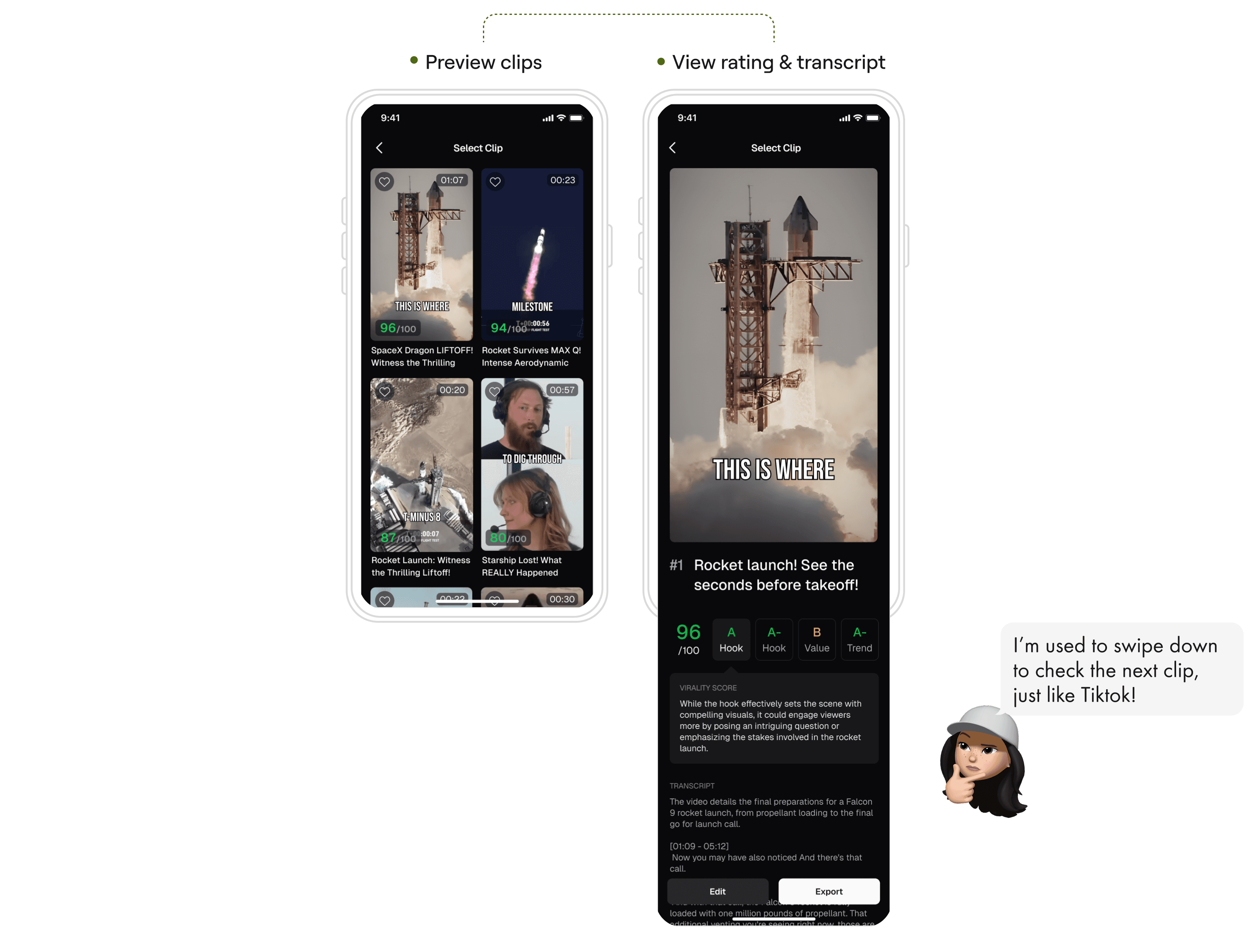
1st Version |
All in One Page
Display all information on the preset settings page. Users can review each item one by one and make their selections. This mode replicates the flow used on the website.

1st Version |
Click & Scroll
Scan clip covers and scores, tap into any clip and scroll for detailed ratings and captions.
😍
What users liked?
Quick to compare clips by it's duration, preview and score
Transcript and score rationale available helped user evaluate
🫠
Why not work?
Title
Title
Too much vertical scrolls for preview clip, score and script felt slow and discontinued.
Have to go back to clip list to select another video.
2nd Version |
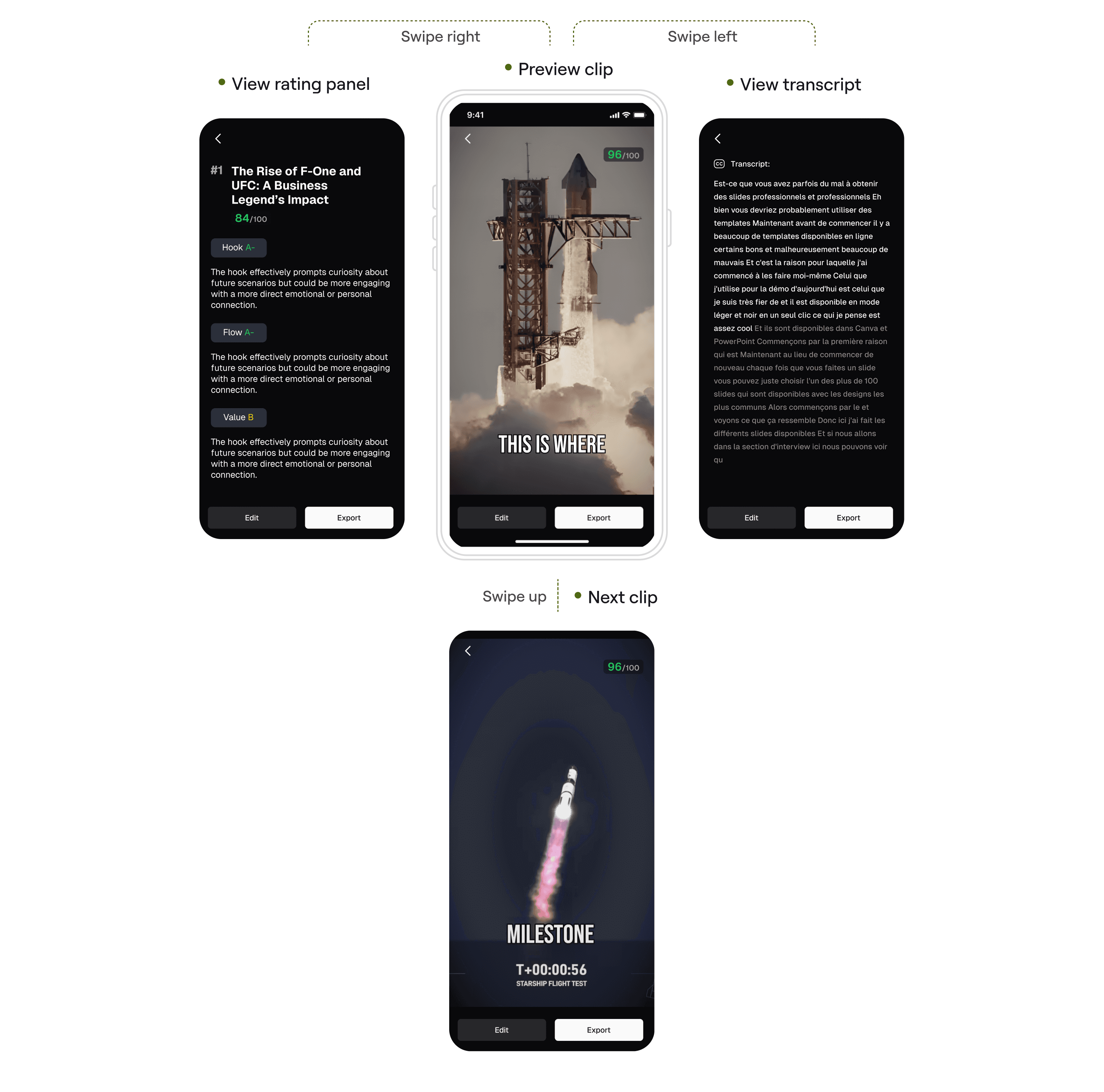
Swipe left & Right
Scroll vertically to preview clips, swipe horizontally to view ratings and transcripts.
😍
What users liked?
Swipe interaction: easy to switch clips by swiping up and down.
🫠
Why not work?
Title
Title
Gesture conflict: Swiping [right] conflict with [back] gesture
Final Version |
Mobile friendly gesture
Video preview follows mobile habits: swipe up and down to switch clips, swipe right or tap the button to view ratings.

What I learned
What I learned
What I learned
Designing for mobile ≠ Shrinking desktop
Designing for mobile isn’t about shrinking desktop — it’s about strategic scoping. By focusing on the highest-value workflows, we unlocked stronger engagement without overextending the product.
Designing for mobile ≠ Shrinking desktop
Designing for mobile isn’t about shrinking desktop — it’s about strategic scoping. By focusing on the highest-value workflows, we unlocked stronger engagement without overextending the product.
Designing for mobile ≠ Shrinking desktop
Designing for mobile isn’t about shrinking desktop — it’s about strategic scoping. By focusing on the highest-value workflows, we unlocked stronger engagement without overextending the product.
Strategic Scoping
The product scope focused on extracting only the most essential desktop flows — clip generation, preview, and sharing — to build a lean yet impactful mobile MVP that delivered core value fast.
Strategic Scoping
The product scope focused on extracting only the most essential desktop flows — clip generation, preview, and sharing — to build a lean yet impactful mobile MVP that delivered core value fast.
Strategic Scoping
The product scope focused on extracting only the most essential desktop flows — clip generation, preview, and sharing — to build a lean yet impactful mobile MVP that delivered core value fast.
Cross-Platform Behavior Matters
Consistent cross-platform experiences drive retention. Gesture-driven patterns ensured intuitive transitions between desktop and mobile. Push notifications triggered when clips were ready re-engaged users who had left during AI processing, improving overall session completion.
Cross-Platform Behavior Matters
Consistent cross-platform experiences drive retention. Gesture-driven patterns ensured intuitive transitions between desktop and mobile. Push notifications triggered when clips were ready re-engaged users who had left during AI processing, improving overall session completion.
Cross-Platform Behavior Matters
Consistent cross-platform experiences drive retention. Gesture-driven patterns ensured intuitive transitions between desktop and mobile. Push notifications triggered when clips were ready re-engaged users who had left during AI processing, improving overall session completion.
Next steps
Next steps
Next steps
Expanding AI toolset
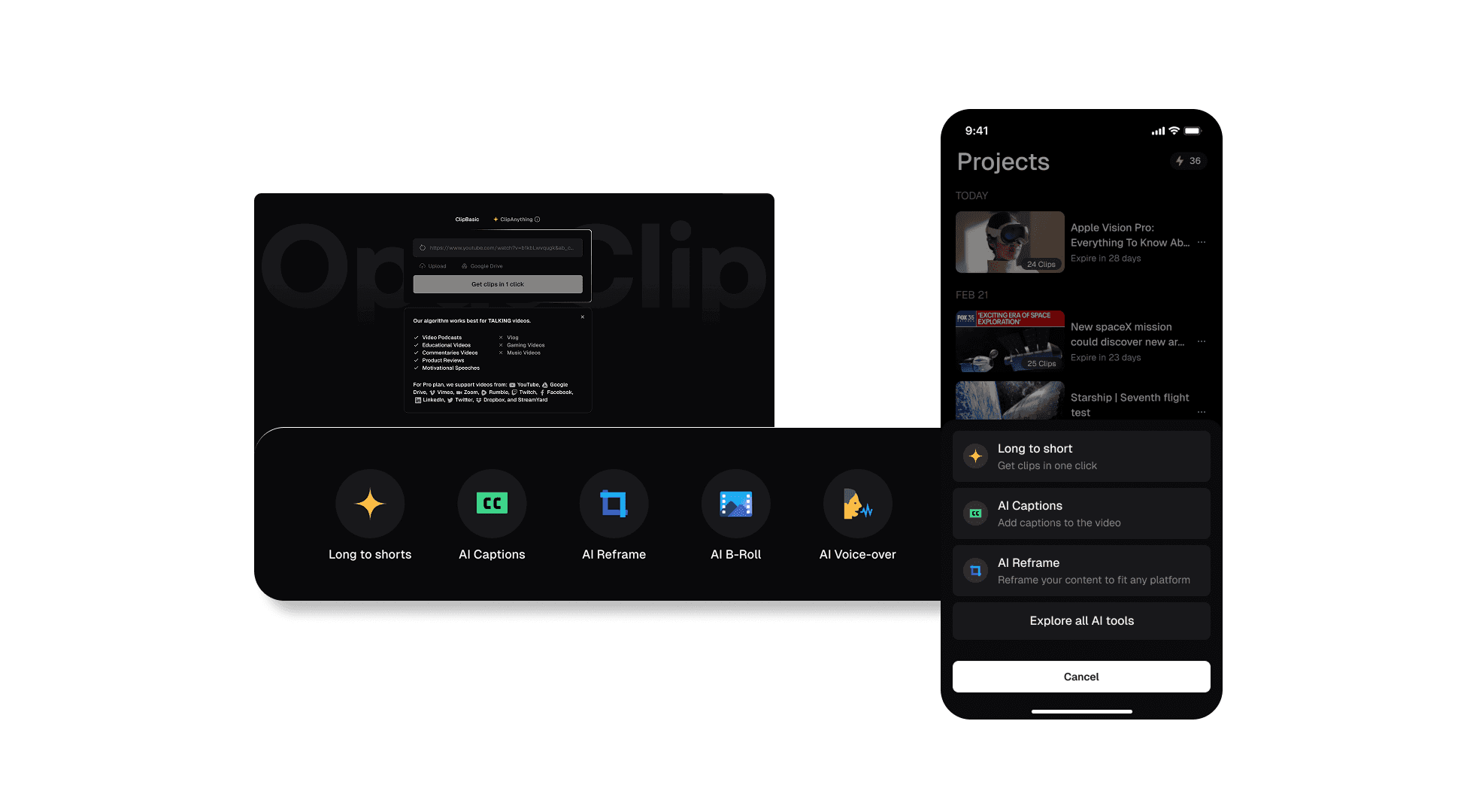
The next phase integrates more of OpusClip’s powerful web tools—like AI Reframe, AI Captions, AI B-Roll, and AI Voice-over—directly into the mobile app. This enables creators to perform end-to-end editing on their phones, combining AI-driven efficiency with on-the-go flexibility.
Expanding AI toolset
The next phase integrates more of OpusClip’s powerful web tools—like AI Reframe, AI Captions, AI B-Roll, and AI Voice-over—directly into the mobile app. This enables creators to perform end-to-end editing on their phones, combining AI-driven efficiency with on-the-go flexibility.

Expanding AI toolset
The next phase integrates more of OpusClip’s powerful web tools—like AI Reframe, AI Captions, AI B-Roll, and AI Voice-over—directly into the mobile app. This enables creators to perform end-to-end editing on their phones, combining AI-driven efficiency with on-the-go flexibility.

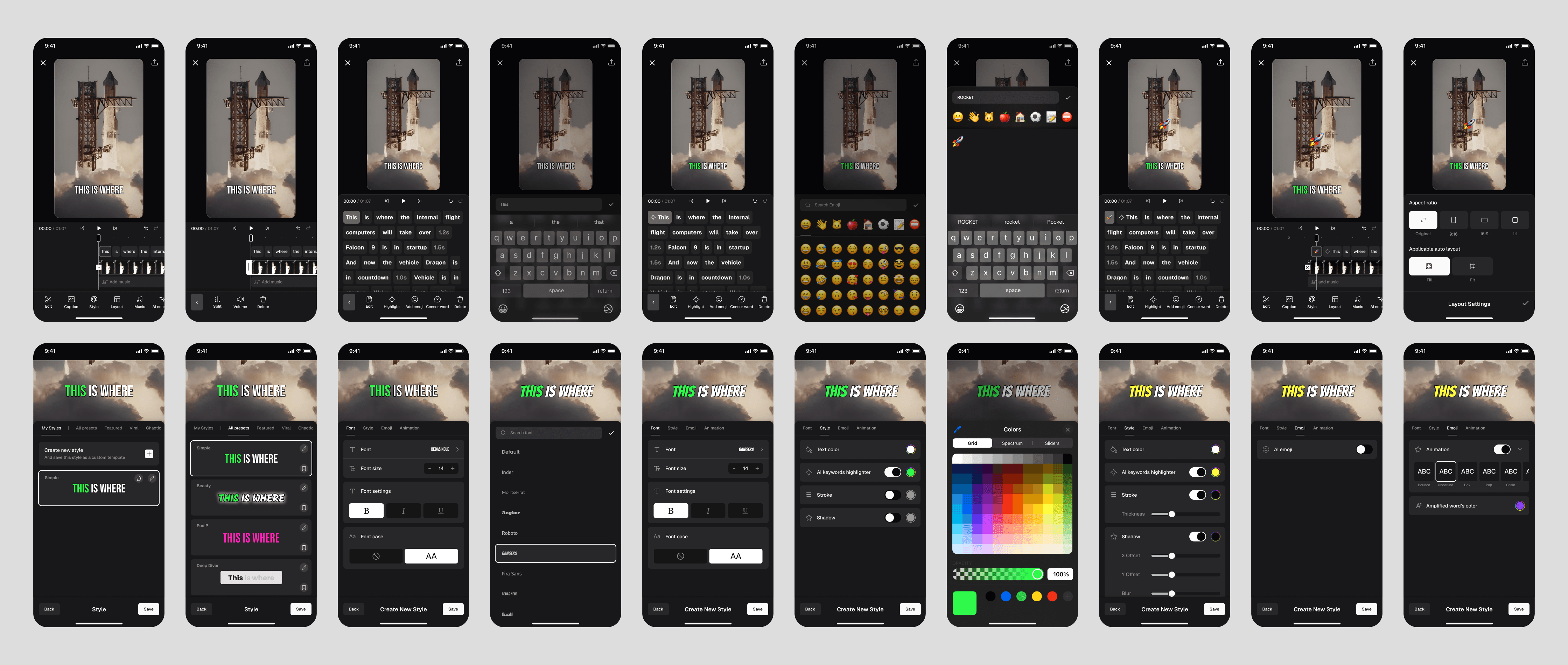
Edit clips as needed
+ Preview and edit captions + Trim or split clips + Add music using AI enhancement
Edit clips as needed
+ Preview and edit captions + Trim or split clips + Add music using AI enhancement

Edit clips as needed
+ Preview and edit captions + Trim or split clips + Add music using AI enhancement